How to Use ChatGPT for Free: A Beginner’s Step-by-Step Guide
If you’re wondering how to use ChatGPT for free, the good news is that you don’t need a paid subscription to get started. OpenAI offers a free version that lets you ask questions, write emails, brainstorm ideas, summarize text, learn new skills, and much more—all without paying for ChatGPT Plus.
For most people, the free plan is more than enough for everyday tasks. Whether you’re a student, freelancer, business owner, or simply curious about AI, you can start using ChatGPT within a few minutes. The only things you need are an internet connection, an email address, and a free OpenAI account.
This guide walks you through every step, explains what you can do with the free version, highlights its limitations, and shares practical tips to help you get better results from your very first conversation.
Quick Answer
Yes, you can use ChatGPT for free by creating an OpenAI account and selecting the free plan. Once you’ve signed in, you can start chatting immediately through your web browser or the official mobile app. The free version includes powerful AI features that are suitable for writing, learning, coding, brainstorming, and everyday productivity.
Before You Start
Creating a ChatGPT account only takes a few minutes, but it’s worth knowing what you’ll need before you begin.
You’ll Need
- A valid email address (or a Google, Apple, or Microsoft account)
- A stable internet connection
- A computer, smartphone, or tablet
- A modern web browser such as Chrome, Edge, Firefox, or Safari
You don’t need any technical knowledge, programming skills, or special software. If you can create an online account and browse the web, you can use ChatGPT.
Editor’s Tip: Always use the official ChatGPT website or app to create your account. Avoid unofficial websites that ask for payment before you’ve even tried the free version.
Step 1: Create Your Free ChatGPT Account
Getting started is straightforward.
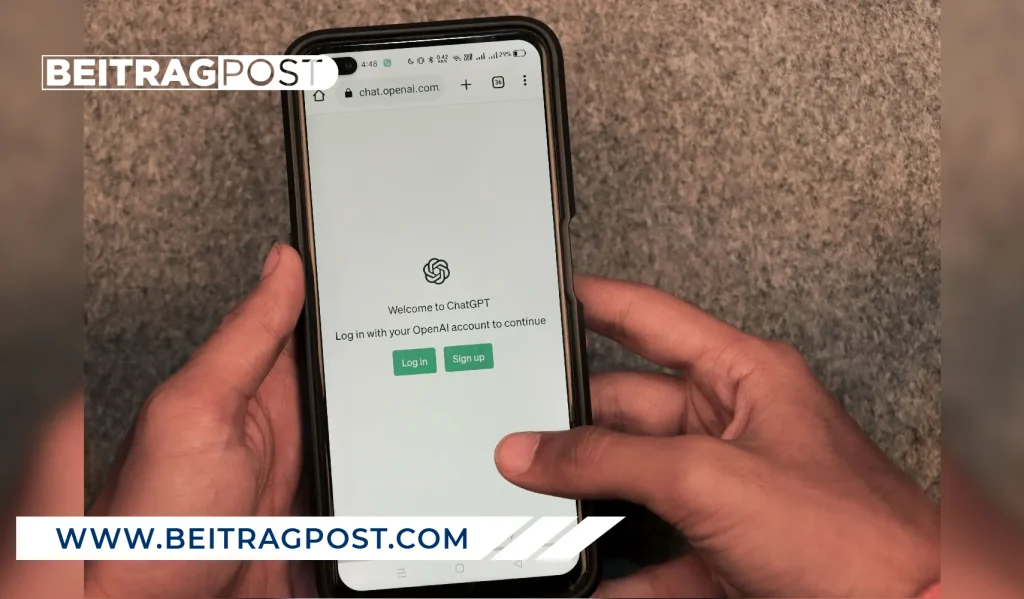
- Visit the official ChatGPT website.
- Click Sign Up.
- Continue using your email address, Google account, Apple ID, or Microsoft account.
- Verify your email if prompted.
- Complete any basic account setup steps.
Once you’ve finished, you’ll be taken directly to the ChatGPT interface where you can start your first conversation.
The entire process usually takes less than five minutes.
Step 2: Start Your First Conversation
After signing in, you’ll see a text box asking, “What can I help with?”
This is where you’ll type your prompts or questions.
For example, you could ask ChatGPT to:
- Explain a difficult topic in simple words.
- Write a professional email.
- Summarize a long article.
- Brainstorm business ideas.
- Create a weekly workout plan.
- Help solve a math problem.
- Translate text into another language.
- Generate social media captions.
The more specific your request is, the more useful the response will usually be.
Instead of asking:
Write an email.
Try:
Write a polite email asking my manager for two days of annual leave next month.
Providing context helps ChatGPT generate more accurate and relevant answers.
What Can You Do with the Free Version of ChatGPT?
Many beginners assume the free version is only a limited demo, but that’s no longer true.
You can complete a wide variety of everyday tasks without paying for ChatGPT Plus.
| Task | Available on Free Plan |
|---|---|
| Answer questions | ✅ Yes |
| Writing assistance | ✅ Yes |
| Brainstorming ideas | ✅ Yes |
| Learning new topics | ✅ Yes |
| Summarizing text | ✅ Yes |
| Basic coding help | ✅ Yes |
| Language translation | ✅ Yes |
For most casual users, students, and professionals, these features are enough to make ChatGPT genuinely useful in day-to-day work and study.
If you’re interested in exploring other beginner-friendly AI platforms alongside ChatGPT, our guide to 10 Best AI Tools for Beginners compares the most useful options and explains when each one makes the most sense.
Common Mistakes New Users Make
Most beginners don’t get poor results because ChatGPT isn’t capable—they get poor results because their prompts are too vague.
Avoid these common mistakes:
- Asking questions without enough context.
- Expecting ChatGPT to know personal information you haven’t provided.
- Copying important information without fact-checking it.
- Using very short prompts for complex tasks.
- Assuming every answer is always correct.
Treat ChatGPT as a helpful assistant rather than an infallible expert. For important decisions, always verify facts using reliable sources.
Step 3: Learn How to Write Better Prompts
The quality of ChatGPT’s answers depends largely on the quality of your prompt.
A prompt is simply the instruction or question you give ChatGPT. The more specific your request, the better the response is likely to be.
Compare these examples.
Weak Prompt
Write a blog post.
Better Prompt
Write a 1,000-word beginner-friendly blog post about growing tomatoes at home. Use simple English, include practical tips, and finish with a FAQ section.
Notice how the second prompt gives ChatGPT clear instructions about the topic, audience, tone, length, and structure.
Prompt Writing Tips That Actually Work
Whenever possible, include:
- Your goal
- The topic
- Your target audience
- Preferred tone
- Desired length
- Any formatting requirements
For example:
Explain cloud computing to a 12-year-old using simple language and real-life examples.
Or:
Rewrite this email to sound more professional while keeping it friendly.
Small details like these often produce dramatically better results.
Editor’s Tip: Think of ChatGPT as a new employee. The clearer your instructions, the better the outcome.
Step 4: Discover What ChatGPT Can Help You With
Many people only use ChatGPT for answering questions, but that’s just one small part of what it can do.
Here are some of the most useful everyday tasks.
Writing and Content Creation
ChatGPT can help you:
- Write emails
- Draft blog posts
- Create social media captions
- Rewrite paragraphs
- Generate headlines
- Improve grammar
- Summarize documents
Learning and Studying
Students and lifelong learners often use ChatGPT to:
- Explain difficult concepts
- Solve practice questions
- Summarize textbooks
- Create study notes
- Generate quizzes
- Learn new skills
Instead of replacing learning, it works best as a personal tutor that explains ideas in a way you understand.
Work and Productivity
Professionals can save time by using ChatGPT to:
- Create meeting agendas
- Write reports
- Brainstorm project ideas
- Prepare presentations
- Draft business proposals
- Organize to-do lists
Even simple administrative tasks become much faster with clear prompts.
Coding and Technical Help
You don’t have to be a developer to benefit.
ChatGPT can:
- Explain programming concepts
- Find coding mistakes
- Suggest improvements
- Generate simple scripts
- Explain error messages
It’s especially useful for beginners who need explanations rather than just solutions.
Understanding the Free Version’s Limitations
Although the free version is surprisingly capable, it isn’t identical to ChatGPT Plus.
Knowing these limitations helps you decide whether you actually need to upgrade.
| Feature | Free Plan | ChatGPT Plus |
|---|---|---|
| Everyday conversations | ✅ | ✅ |
| Writing assistance | ✅ | ✅ |
| Learning & research | ✅ | ✅ |
| Faster responses during busy times | Limited | ✅ |
| Higher usage limits | ❌ | ✅ |
| Access to more advanced models | Limited | ✅ |
| Priority access to new features | ❌ | ✅ |
For many users, these differences won’t matter during the first few weeks.
If you’re mainly using ChatGPT to learn, write, brainstorm, or ask everyday questions, the free plan is often all you need.
Do You Need ChatGPT Plus?
Probably not at least not right away.
Before paying for a subscription, spend a few weeks using the free version.
Upgrade only if you regularly:
- Hit usage limits.
- Need faster responses.
- Work with large files every day.
- Use ChatGPT professionally for hours at a time.
- Need access to advanced models and premium features.
For occasional use, the free plan offers excellent value.
ChatGPT Tips Every Beginner Should Know
A few simple habits can make ChatGPT much more useful.
Start a New Chat for Different Topics
Instead of discussing everything in one conversation, create a new chat for each project.
This keeps responses more focused and organized.
Ask Follow-Up Questions
You don’t have to write the perfect prompt the first time.
If the answer isn’t quite right, continue the conversation.
For example:
- Make it shorter.
- Explain it more simply.
- Give me another example.
- Rewrite it in a professional tone.
This back-and-forth approach usually produces better results than starting over.
Verify Important Information
ChatGPT is an excellent assistant, but it isn’t perfect.
Always double-check:
- Medical information
- Financial advice
- Legal topics
- Statistics
- Recent news
- Academic references
Using ChatGPT alongside trusted sources leads to the best results.
ChatGPT vs Other AI Assistants
As you become more comfortable with AI, you may wonder whether ChatGPT is still the best option for your needs.
While ChatGPT excels at writing, brainstorming, and general-purpose conversations, other AI assistants have strengths of their own. If you’re deciding between OpenAI’s chatbot and Google’s latest AI, our detailed ChatGPT vs Google Gemini comparison explains where each platform performs best and which one is the better choice for different users.
Troubleshooting Common ChatGPT Problems
Most beginners can start using ChatGPT within a few minutes. However, you may occasionally run into small issues. Here are the most common ones and how to fix them.
ChatGPT Isn’t Loading
If the page doesn’t load properly:
- Refresh your browser.
- Check your internet connection.
- Try a different browser.
- Clear your browser cache.
- Wait a few minutes if OpenAI is experiencing high traffic.
Temporary outages are uncommon, but they do happen occasionally.
I Can’t Log In
If you’re having trouble signing in:
- Make sure you’re using the correct email address.
- Reset your password if you’ve forgotten it.
- Try signing in with the same method you used during registration (Google, Apple, Microsoft, or email).
Using a different login method can create confusion if you accidentally registered with another account.
Why Am I Seeing a Usage Limit?
The free version of ChatGPT has daily or temporary usage limits during busy periods.
If you reach a limit, you can usually:
- Wait until your limit resets.
- Try again later.
- Continue using the free plan once access becomes available.
Most casual users rarely run into this issue unless they’re using ChatGPT heavily throughout the day.
Best Practices for Getting Better Results
Using ChatGPT effectively isn’t about asking more questions—it’s about asking better ones.
A few simple habits can significantly improve the quality of every response.
Give ChatGPT Context
Instead of saying:
Write a product description.
Try:
Write a friendly product description for a wireless gaming headset aimed at PC gamers. Keep it under 150 words.
Providing context helps ChatGPT understand exactly what you’re trying to achieve.
Break Large Tasks Into Smaller Steps
Rather than asking ChatGPT to complete a huge project in one prompt, divide it into manageable stages.
For example:
- Create an outline.
- Expand each section.
- Improve the wording.
- Proofread the final version.
This usually produces more accurate and organized results.
Keep the Conversation Going
One of ChatGPT’s biggest strengths is that it remembers the current conversation.
If the first answer isn’t perfect, don’t start over.
Instead, ask follow-up questions like:
- Can you make it shorter?
- Add more examples.
- Rewrite this in simpler English.
- Explain that step again.
- Give me another version.
The best results often come after refining the conversation.
Is the Free Version Enough?
For most beginners, yes.
If your goal is to:
- Learn new topics
- Improve your writing
- Brainstorm ideas
- Draft emails
- Practice coding
- Summarize information
- Translate text
…the free version provides more than enough functionality to get started.
Only consider upgrading if you consistently reach usage limits or rely on ChatGPT for professional work every day.
Frequently Asked Questions
Is ChatGPT completely free?
Yes. You can create an OpenAI account and use ChatGPT without paying. While OpenAI also offers a paid ChatGPT Plus subscription, the free version includes enough features for most everyday tasks.
Can I use ChatGPT on my phone?
Absolutely. ChatGPT is available through any modern mobile browser, and OpenAI also provides official apps for both Android and iPhone, allowing you to continue conversations across your devices.
Do I need to download any software?
No. You can use ChatGPT directly from your web browser without installing anything. If you prefer, you can also download the official mobile app for a more convenient experience.
Is ChatGPT safe to use?
Yes, as long as you use the official OpenAI website or official mobile apps. However, avoid sharing sensitive personal information such as passwords, banking details, or confidential business data during conversations.
Can I use ChatGPT for school or work?
Yes. Many students use ChatGPT to understand difficult topics, while professionals use it to draft emails, summarize documents, brainstorm ideas, and improve productivity. Just remember to review and verify important information before submitting or publishing it.
What’s the difference between ChatGPT Free and ChatGPT Plus?
The free version is designed for everyday use and works well for most beginners. ChatGPT Plus offers higher usage limits, faster access during busy periods, and additional premium features aimed at users who rely on ChatGPT more heavily.
Final Verdict
Learning how to use ChatGPT for free is much easier than many beginners expect. You don’t need technical skills, expensive software, or a paid subscription to start benefiting from AI. With a free OpenAI account, you can write emails, generate ideas, learn new topics, summarize information, and tackle countless everyday tasks in just a few clicks.
The key isn’t simply using ChatGPT it’s learning how to ask clear questions and provide useful context. As your confidence grows, you’ll naturally discover new ways to make AI part of your daily workflow. For most people, the free version is the perfect place to start, and there’s no need to upgrade until you genuinely outgrow its capabilities.
Key Takeaways
You can use ChatGPT for free with an OpenAI account.
The free version is powerful enough for most everyday users.
Better prompts lead to better answers.
You don’t need technical knowledge to get started.
Upgrade to ChatGPT Plus only if you regularly need higher limits or premium features.