Best AI Writing Tools That Help You Write Faster Without Losing Quality
The best AI writing tools can save hours of work, but only if you choose the right one. Some platforms are excellent for writing long-form blog posts, while others specialize in marketing copy, emails, or brainstorming ideas. Picking the wrong tool often means paying for features you’ll rarely use or spending more time editing than actually writing.
That’s why this guide takes a different approach.
Instead of ranking software by popularity, we’ll look at how each tool performs in real writing situations. You’ll learn who each platform is designed for, where it excels, where it struggles, and whether it’s actually worth your money. Whether you’re a blogger creating SEO content, a freelancer working with clients, a student organizing assignments, or a business producing marketing materials, you’ll find recommendations based on practical use rather than marketing claims.
By the end, you’ll know which AI writing tool fits your workflow instead of simply choosing the biggest name.
What Makes the Best AI Writing Tools Worth Paying For?
Every AI writer promises to save time.
Not every AI writer actually does.
The best AI writing tools don’t replace human creativity—they remove repetitive work that slows writers down. Instead of staring at a blank page, you can generate ideas, organize outlines, improve awkward paragraphs, or rewrite complicated sentences in minutes.
The difference between an average tool and an excellent one usually comes down to four things.
They Improve Your Workflow Instead of Interrupting It
A useful AI assistant should feel like another member of your team.
You shouldn’t have to fight the software just to complete simple tasks.
Whether you’re writing a blog post, creating product descriptions, or replying to clients, the platform should reduce the amount of manual work rather than introducing extra steps.
The best tools help you stay focused on your ideas while handling repetitive writing tasks behind the scenes.
They Produce Natural Drafts That Still Sound Human
Readers can quickly recognize content that feels repetitive or overly robotic.
That’s why experienced writers rarely publish AI-generated text without editing it first.
Good writing software creates strong first drafts.
Great writing software creates drafts that already sound close to something a human would naturally write.
That difference can save hours of editing over the course of a week.
They Adapt to Different Types of Content
Writing isn’t limited to blog posts.
Most people create many different types of content throughout the day.
Emails.
Social media captions.
Landing pages.
Reports.
Product descriptions.
Newsletters.
Marketing campaigns.
The strongest platforms understand those differences and adjust accordingly instead of applying the same writing style everywhere.
They Continue Saving Time as Your Workload Grows
An AI writer might seem impressive when you’re producing one article each month.
Its real value becomes obvious when you’re writing every day.
Content creators, agencies, and businesses often manage dozens of projects simultaneously.
In those situations, reducing even thirty minutes from every assignment quickly becomes a significant productivity gain.
That’s why investing in the right platform often pays for itself through time saved rather than words generated.
ChatGPT: One of the Best AI Writing Tools for Everyday Content Creation

If there’s one AI writing platform that works well for almost everyone, it’s ChatGPT.
Rather than focusing on a single type of content, it adapts to whatever you’re trying to accomplish.
Need help planning an article?
It can generate multiple outlines.
Writing an email?
It can improve clarity and tone.
Working on SEO content?
It can organize headings, explain complex topics, and help overcome writer’s block.
That flexibility makes ChatGPT one of the easiest AI tools to fit into an existing workflow.
Instead of replacing the way you already write, it simply helps you work faster.
Better Prompts Produce Better Results
One reason some people believe AI writing tools don’t work very well is surprisingly simple.
They ask poor questions.
A request like:
“Write a blog about fitness.”
will usually produce generic content.
Now compare that with a prompt explaining:
- the audience,
- desired tone,
- article length,
- search intent,
- important headings,
- writing style,
- and goal.
The quality immediately improves.
Think of ChatGPT as a skilled assistant.
The more context you provide, the better it performs.
More Than Just an AI Writer
Although many people begin using ChatGPT for writing, they often discover it solves dozens of other problems as well.
It helps summarize research.
Organize meeting notes.
Translate content.
Generate spreadsheet formulas.
Explain difficult concepts.
Brainstorm business ideas.
Create presentation outlines.
Review code.
This versatility is one of its biggest advantages.
Instead of paying for separate tools to complete individual tasks, many users rely on ChatGPT throughout their entire workday.
If you’re completely new to AI software, our guide to 10 Best AI Tools for Beginners introduces several beginner-friendly platforms that complement ChatGPT and make learning much easier.
Is ChatGPT Right for Everyone?
Not necessarily.
ChatGPT performs best when someone is willing to guide the conversation.
If you’re expecting perfect, publish-ready content from a single sentence, you’ll probably be disappointed.
If you’re comfortable refining prompts and editing drafts, however, it becomes an incredibly powerful writing assistant.
That’s why freelancers, marketers, students, developers, and business owners all use the same platform in completely different ways.
ChatGPT Is Ideal If You…
- Write different types of content every week.
- Want one AI assistant for multiple tasks.
- Need help generating ideas quickly.
- Prefer flexibility over rigid templates.
- Don’t mind editing AI-generated drafts before publishing.
You May Want Another Tool If…
- You primarily write advertising copy.
- Your team needs advanced brand management features.
- You prefer highly structured marketing workflows.
Quick Overview
| Feature | Details |
|---|---|
| Best For | General writing and productivity |
| Free Plan | Yes |
| Platforms | Web, Desktop, Mobile |
| Learning Curve | Easy |
| Best Users | Bloggers, freelancers, students, businesses |
Editor’s Verdict
ChatGPT earns its reputation because it solves far more than writing problems. Whether you’re brainstorming ideas, improving existing drafts, or creating entirely new content, it consistently helps writers work faster without sacrificing flexibility. For most people, it’s the easiest place to begin exploring AI-assisted writing.
Jasper AI: Built for Marketing Teams That Need Consistent Content

If ChatGPT feels like a versatile assistant, Jasper AI feels like software designed specifically for content marketing.
From the moment you begin using it, the focus is obvious.
Instead of trying to help with every possible task, Jasper concentrates on helping businesses produce content that stays consistent across blogs, landing pages, advertising campaigns, emails, and social media.
That specialization is what separates it from more general AI writing platforms.
For companies producing content every day, consistency matters just as much as speed.
One writer shouldn’t sound completely different from another.
Jasper addresses that challenge by helping teams maintain a recognizable writing style across multiple projects.
Where Jasper AI Really Stands Out
Many AI writers can generate content.
Fewer can help maintain a consistent brand voice across an entire organization.
Jasper allows businesses to build writing guidelines into their workflow so future content follows the same tone, vocabulary, and messaging.
For agencies managing multiple clients, this becomes a significant advantage.
Writers spend less time rewriting AI-generated content and more time improving ideas that actually matter.
Templates Save Time Without Making Content Feel Formulaic
One of Jasper AI’s biggest advantages is the number of ready-made workflows it provides.
Instead of opening a blank page every time, you can start with templates built for specific goals.
Need a product description?
There’s a workflow for that.
Launching a new service?
You can generate landing page copy with a structured framework already in place.
Planning an email campaign?
Jasper helps organize the message before you begin refining it.
These templates aren’t there to replace creativity.
They’re there to remove repetitive setup work so writers can focus on improving the final message.
For busy marketing teams, that time savings quickly adds up.
Collaboration Is Easier for Larger Teams
As content production grows, writing stops being a one-person job.
Editors review drafts.
Marketing managers approve campaigns.
Designers need copy for graphics.
SEO specialists suggest improvements.
Jasper supports that workflow much better than many general-purpose AI writers.
Instead of working as an isolated chatbot, it fits naturally into collaborative content production where multiple people contribute to the same project.
That’s one reason agencies and larger businesses often choose Jasper over simpler alternatives.
Is Jasper AI Worth Paying For?
That depends on how much content you produce.
If you’re an occasional writer creating one or two articles each month, Jasper’s premium features may be more than you actually need.
However, businesses publishing content regularly often recover the subscription cost through improved efficiency alone.
The more your team writes, the more valuable Jasper becomes.
Jasper AI Is Perfect For You If…
- You manage a content marketing team.
- Brand consistency matters across multiple channels.
- Your business publishes content regularly.
- You create landing pages, email campaigns, and advertising copy.
- Collaboration is part of your writing process.
You Should Skip Jasper AI If…
- You only write occasionally.
- You’re looking for a completely free solution.
- General writing is more important than marketing content.
Quick Overview
| Feature | Details |
|---|---|
| Best For | Marketing and business content |
| Free Plan | Limited trial |
| Platforms | Web |
| Learning Curve | Easy to Medium |
| Best Users | Agencies, businesses, marketing teams |
Editor’s Verdict
Jasper AI isn’t trying to become an all-purpose assistant. Instead, it focuses on helping businesses create consistent, high-quality marketing content at scale. For organizations producing content every day, that specialization makes it one of the strongest options available.
Copy.ai: One of the Best AI Writing Tools for Sales and Marketing Copy
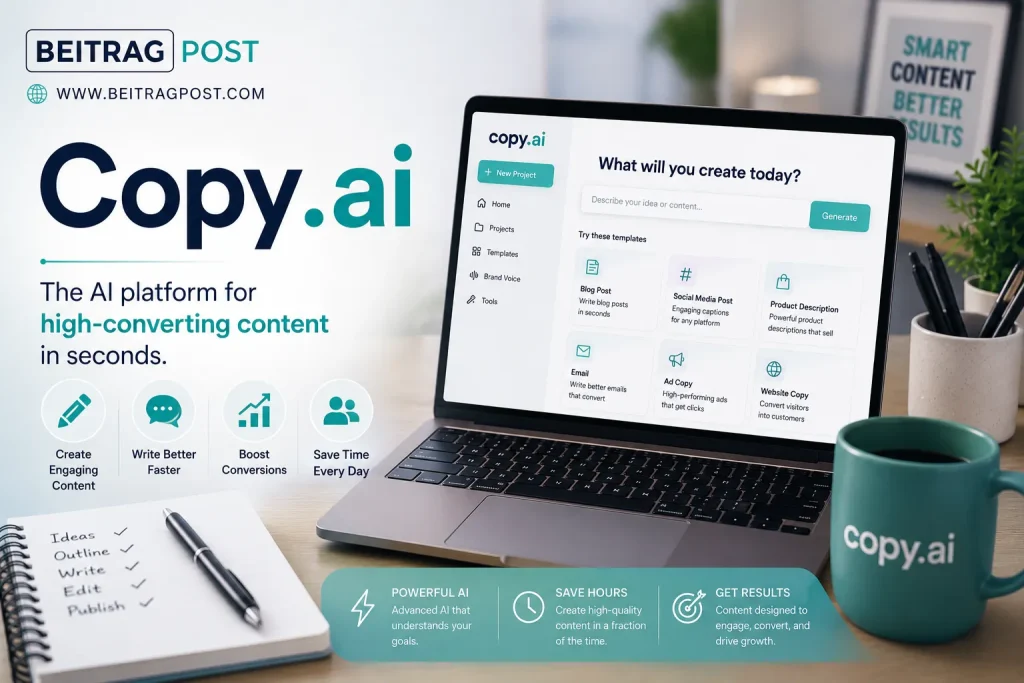
Some AI writing tools are designed to help you write.
Copy.ai is designed to help you sell.
While it can certainly generate blog content, its real strength lies in creating persuasive copy that encourages readers to take action.
Sales emails.
Product descriptions.
Cold outreach.
Ad headlines.
Landing page messaging.
These are the areas where Copy.ai performs particularly well.
Rather than producing long articles filled with detailed explanations, it focuses on concise, conversion-oriented writing.
Built for Fast Content Production
One reason marketing professionals appreciate Copy.ai is its speed.
You can move from a simple idea to multiple variations of marketing copy within minutes.
Instead of writing one headline, you receive several.
Instead of testing one email introduction, you can compare different approaches before deciding which one best fits your audience.
That flexibility helps reduce creative fatigue, especially during campaigns requiring a large volume of promotional content.
Helpful for Teams That Create High Volumes of Copy
Businesses running regular advertising campaigns often need fresh copy every week.
Sometimes every day.
Creating that amount of content manually becomes time-consuming.
Copy.ai simplifies much of that workload by generating multiple starting points that writers can refine instead of creating everything from scratch.
The result isn’t just faster writing.
It’s faster experimentation.
Marketing teams can test different ideas without dramatically increasing production time.
Is Copy.ai the Right Choice for Bloggers?
It depends.
If your primary goal is publishing detailed SEO articles, other AI writing tools usually provide stronger long-form support.
However, if marketing copy, email campaigns, and sales messaging make up most of your work, Copy.ai deserves serious consideration.
Understanding your workflow matters far more than choosing the platform with the longest feature list.
Copy.ai Is Perfect For You If…
- You write marketing copy regularly.
- Email outreach is part of your business.
- Creating multiple headline variations saves time.
- Advertising campaigns require frequent content updates.
- Conversion-focused writing is your priority.
You Should Skip Copy.ai If…
- Long-form blogging is your main focus.
- Academic or research writing is more important than marketing.
- You rarely create promotional content.
Quick Overview
| Feature | Details |
|---|---|
| Best For | Marketing and sales copy |
| Free Plan | Yes |
| Platforms | Web |
| Learning Curve | Easy |
| Best Users | Sales teams, marketers, businesses |
Editor’s Verdict
Copy.ai excels when the goal is encouraging action rather than explaining complex ideas. Businesses focused on sales, advertising, and customer acquisition will likely benefit far more from its specialized approach than writers creating detailed educational content.
Grammarly: The Best AI Writing Tool for Improving What You’ve Already Written
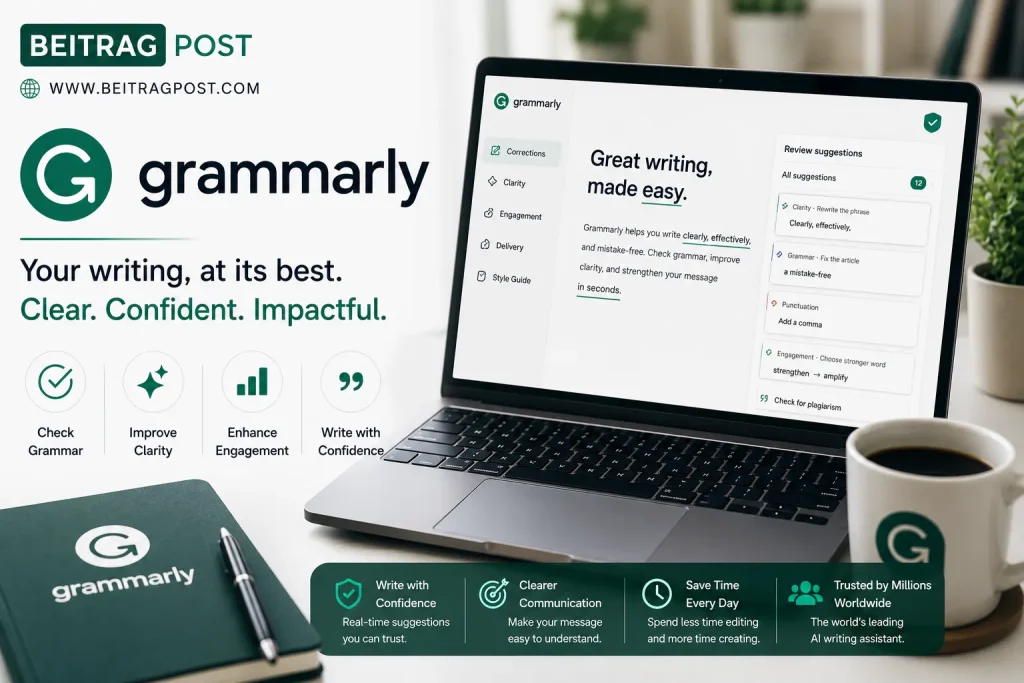
Unlike many platforms on this list, Grammarly doesn’t try to write your article from the beginning.
Instead, it improves the work you’ve already created.
That difference makes it one of the most useful AI writing tools for professionals who care about clarity, accuracy, and readability.
After finishing a draft, Grammarly reviews it for grammar, punctuation, spelling, sentence structure, and tone.
It also highlights awkward wording that might confuse readers or make your writing sound less natural.
Rather than replacing your voice, it helps polish it.
More Than Grammar Checking
Many people still think Grammarly is simply a spell checker.
That’s no longer true.
It now helps writers:
- Improve sentence clarity.
- Reduce unnecessary repetition.
- Adjust tone for different audiences.
- Rewrite awkward paragraphs.
- Improve overall readability.
For anyone publishing professional content, those improvements can significantly reduce editing time.
An Easy Addition to Almost Any Workflow
One of Grammarly’s biggest strengths is that it works alongside the tools you already use.
Whether you’re writing inside a browser, a document editor, or an email client, Grammarly quietly reviews your work without forcing you to change your writing process.
That convenience is one reason it remains popular among students, bloggers, freelancers, and business professionals alike.
If you’re looking for a free way to experiment with conversational AI before investing in premium software, our guide on How to Use ChatGPT for Free walks through practical ways to get started without spending anything.
Why Grammarly Still Belongs in Every Writer’s Toolkit
Even experienced writers miss small mistakes.
After spending hours working on the same article, your brain naturally begins filling in missing words and overlooking awkward sentences.
That’s exactly where Grammarly provides the most value.
It acts as a second set of eyes.
Instead of rewriting your ideas, it highlights issues you may no longer notice because you’ve been reading the same draft repeatedly.
Many professional writers run every article through Grammarly before publishing—not because they can’t write, but because everyone benefits from an extra review.
Is Grammarly Worth Paying For?
The free version handles basic grammar and spelling well enough for casual writing.
However, if you regularly publish client work, business documents, newsletters, or blog posts, the premium features become much more valuable.
Advanced suggestions for clarity, tone, and sentence structure often reduce editing time considerably.
If writing is part of your job, Grammarly is one of those subscriptions that quietly pays for itself.
Grammarly Is Perfect For You If…
- You want cleaner, more professional writing.
- Grammar mistakes damage your confidence.
- Editing takes longer than writing.
- You publish articles, emails, or business documents regularly.
- You already have a drafting tool and need an editing assistant.
You Should Skip Grammarly If…
- You expect AI to create complete articles.
- Grammar checking isn’t a priority.
- You only write occasionally.
Quick Overview
| Feature | Details |
|---|---|
| Best For | Editing and proofreading |
| Free Plan | Yes |
| Platforms | Web, Desktop, Browser Extensions, Mobile |
| Learning Curve | Very Easy |
| Best Users | Students, bloggers, professionals, businesses |
Editor’s Verdict
Grammarly isn’t designed to replace writers it helps them publish cleaner, more polished work. Whether you’re writing blog posts, business emails, or academic papers, it’s one of the easiest productivity tools to recommend.
Writesonic : One of the Best AI Writing Tools for SEO-Focused Content
Not every AI writing platform understands search engine optimization.
Some generate readable articles but ignore search intent.
Others produce keyword-heavy content that feels unnatural.
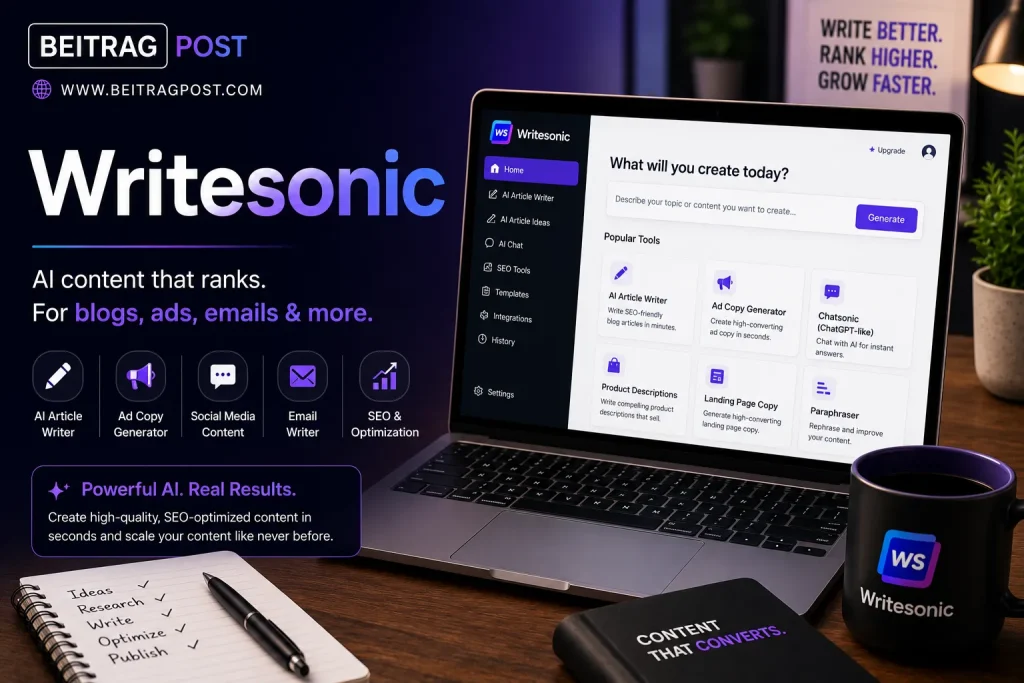
Writesonic tries to balance both.
It focuses on helping writers create content that’s useful for readers while supporting SEO workflows.
For bloggers, affiliate marketers, and content agencies, that combination makes it an attractive option.
Designed for Content Marketers
Writesonic isn’t limited to writing blog posts.
It also assists with:
- Product descriptions
- Landing pages
- Google Ads
- Meta titles
- Meta descriptions
- Social media captions
- Website copy
That flexibility makes it useful for people managing multiple types of content from a single dashboard.
SEO Features Make a Noticeable Difference
One area where Writesonic stands out is content optimization.
Instead of only generating paragraphs, it encourages writers to think about search intent, headings, and readability before publishing.
That doesn’t eliminate the need for human editing, but it creates a stronger starting point than many generic AI writers.
For anyone producing search-focused content every week, those small improvements can save a significant amount of time.
Writesonic Is Perfect For You If…
- SEO content is a regular part of your work.
- You publish blogs consistently.
- Marketing content and website copy are equally important.
- You want writing and optimization in one platform.
You Should Skip Writesonic If…
- You only need occasional AI assistance.
- SEO isn’t relevant to your projects.
- Editing existing content matters more than generating new drafts.
Quick Overview
| Feature | Details |
|---|---|
| Best For | SEO content creation |
| Free Plan | Yes |
| Platforms | Web |
| Learning Curve | Easy |
| Best Users | Bloggers, marketers, agencies |
Editor’s Verdict
Writesonic is strongest when SEO and content marketing go hand in hand. It helps streamline the writing process while keeping search-focused content in mind, making it a solid choice for publishers and digital marketers.
Notion AI : Best AI Writing Tool for Organizing Ideas and Documents
Some people spend as much time organizing their work as they do writing it.
If that sounds familiar, Notion AI deserves serious consideration.
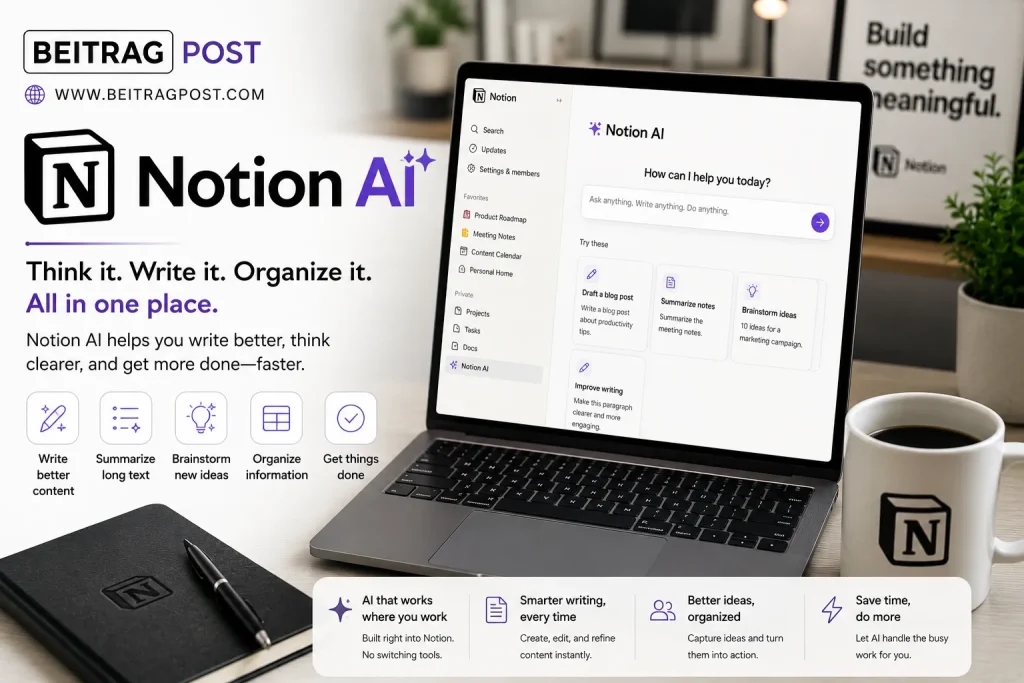
Unlike traditional AI writers, Notion AI works inside a workspace where notes, projects, databases, meeting summaries, and documents already live together.
That means your writing happens alongside your planning instead of inside a separate application.
Productivity Comes Before Content Generation
Notion AI shines when information is scattered.
Meeting notes become summaries.
Brainstorming sessions become organized action lists.
Research documents become structured outlines.
Instead of jumping between multiple apps, writers can keep planning and writing inside the same workspace.
That streamlined workflow often becomes more valuable than raw text generation.
Perfect for Teams Managing Knowledge
Businesses frequently use Notion as an internal knowledge base.
Adding AI makes that system more useful.
Employees can summarize documentation, rewrite reports, generate meeting notes, and organize information without leaving the workspace.
The result isn’t just faster writing.
It’s better organization across entire teams.
Notion AI Is Perfect For You If…
- You already use Notion daily.
- Organizing information is just as important as writing.
- Team collaboration is part of your workflow.
- Notes, documentation, and planning happen in one place.
You Should Skip Notion AI If…
- You don’t use Notion.
- Your main goal is creating marketing copy.
- You need advanced SEO writing features.
Quick Overview
| Feature | Details |
|---|---|
| Best For | Productivity and documentation |
| Free Plan | Limited |
| Platforms | Web, Desktop, Mobile |
| Learning Curve | Easy |
| Best Users | Teams, students, professionals |
Editor’s Verdict
Notion AI isn’t trying to become the best standalone AI writer. Instead, it enhances one of the world’s most popular productivity platforms, making planning, organizing, and writing feel like one continuous workflow.
Rytr : Best AI Writing Tool for Budget-Conscious Writers
Not everyone needs enterprise software.
Many freelancers, students, and small business owners simply want an affordable writing assistant that handles everyday tasks well.
That’s exactly where Rytr fits.
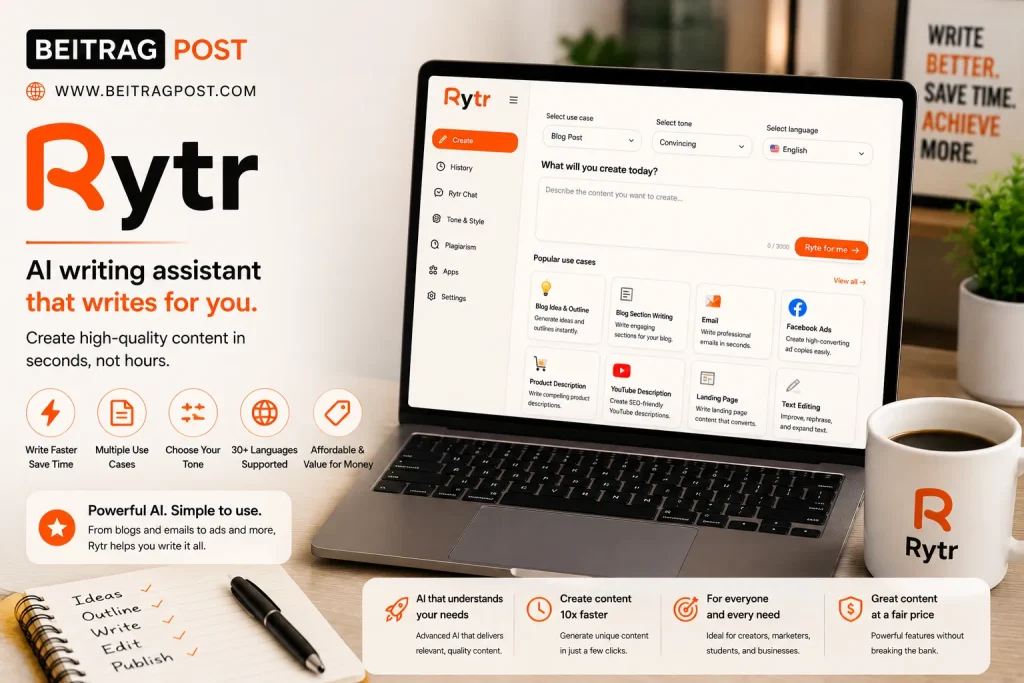
It offers a straightforward experience without overwhelming users with complex dashboards or advanced business features.
For people entering the world of AI writing, that simplicity is often an advantage.
Simple Enough for Beginners
Rytr focuses on helping users create content quickly.
Instead of spending time learning dozens of advanced settings, beginners can start generating ideas, emails, outlines, and short-form content almost immediately.
The interface feels approachable, making it a comfortable first AI writing tool for many users.
Good Value for Everyday Writing
Rytr won’t replace specialized enterprise platforms.
However, for individuals producing regular content on a limited budget, it provides impressive value.
If your writing needs are relatively straightforward, paying significantly more for premium software may not always be necessary.
Rytr Is Perfect For You If…
- You’re just starting with AI writing.
- Budget is an important consideration.
- You mainly create short-form content.
- You prefer simple software over feature-heavy platforms.
You Should Skip Rytr If…
- You manage large content teams.
- Advanced collaboration is essential.
- Enterprise-level marketing features are required.
Quick Overview
| Feature | Details |
|---|---|
| Best For | Affordable AI writing |
| Free Plan | Yes |
| Platforms | Web |
| Learning Curve | Very Easy |
| Best Users | Beginners, freelancers, students |
Editor’s Verdict
Rytr proves you don’t always need expensive software to improve your writing workflow. While it lacks some advanced business features, it’s one of the strongest budget-friendly AI writing assistants available.
Best AI Writing Tools Compared at a Glance
Choosing the right platform depends less on which tool has the longest feature list and more on how you actually work. Some writers need help producing SEO articles, while others spend most of their day creating marketing campaigns, editing documents, or organizing research.
Here’s a quick comparison to help narrow your options.
| Tool | Best For | Free Plan | Learning Curve | Best Choice For |
|---|---|---|---|---|
| ChatGPT | General writing | Yes | Easy | Bloggers, freelancers, students |
| Jasper AI | Marketing content | Trial | Easy–Medium | Businesses and agencies |
| Copy.ai | Sales copy | Yes | Easy | Marketing and sales teams |
| Grammarly | Editing and proofreading | Yes | Very Easy | Every type of writer |
| Writesonic | SEO content | Yes | Easy | Bloggers and content marketers |
| Notion AI | Productivity and documentation | Limited | Easy | Teams and professionals |
| Rytr | Budget-friendly writing | Yes | Very Easy | Beginners and freelancers |
Which AI Writing Tool Should You Choose?
Every platform in this guide solves a different problem.
That’s why the “best” choice depends on how you write rather than which tool appears at the top of a ranking.
Choose ChatGPT if…
You want one flexible AI assistant that can help with brainstorming, outlining, rewriting, research, coding, emails, and long-form content.
Choose Jasper AI if…
Your business produces marketing content every day and maintaining a consistent brand voice is a priority.
Choose Copy.ai if…
Most of your work involves advertising, email campaigns, landing pages, and conversion-focused copywriting.
Choose Grammarly if…
You already enjoy writing but want cleaner grammar, clearer sentences, and more professional communication.
Choose Writesonic if…
SEO content, website copy, and content marketing are central to your business.
Choose Notion AI if…
You manage projects, documentation, and writing inside one organized workspace.
Choose Rytr if…
You’re looking for an affordable AI writing assistant that’s easy to learn and handles everyday writing tasks well.
How We Chose the Best AI Writing Tools
This list isn’t based on popularity alone.
Each recommendation was evaluated using criteria that matter to real writers instead of marketing claims.
We looked at:
- Writing quality
- Ease of use
- Accuracy and reliability
- Flexibility across different writing tasks
- Collaboration features
- Overall value for money
- Free plan availability
- Long-term usefulness
Rather than rewarding the tool with the most features, we focused on the platforms that consistently help people write faster while maintaining quality.
Frequently Asked Questions
What is the best AI writing tool overall?
For most users, ChatGPT offers the best balance of flexibility, ease of use, and versatility. It works well for brainstorming, drafting, rewriting, research, and many everyday writing tasks.
Which AI writing tool is best for bloggers?
Writers focused on long-form content often benefit most from ChatGPT or Writesonic. ChatGPT provides flexibility throughout the writing process, while Writesonic includes features that support SEO-focused content creation.
Are free AI writing tools good enough?
Yes, for many people.
Free plans are usually enough for occasional writing, brainstorming, editing, and learning how AI fits into your workflow. As your workload grows, premium plans often become worthwhile because they unlock higher limits and additional productivity features.
Can AI writing tools replace human writers?
Not completely.
AI is excellent at generating ideas, organizing information, and creating first drafts. Human writers are still essential for adding experience, creativity, critical thinking, fact-checking, and original insights that make content genuinely valuable.
Which AI writing tool is best for students?
Students often benefit from ChatGPT for brainstorming and explanations, while Grammarly is an excellent companion for improving grammar, clarity, and academic writing.
Final Verdict
The best AI writing tools don’t make great writers unnecessary.
They help great writers spend less time on repetitive work and more time thinking, researching, editing, and creating content that people actually enjoy reading.
If you’re looking for an all-around writing assistant, ChatGPT remains the most versatile choice for most users. Businesses producing large amounts of marketing content may find Jasper AI a better fit, while Grammarly continues to be one of the easiest ways to improve writing quality regardless of which drafting tool you use.
Instead of choosing software based on popularity alone, think about the kind of writing you do every day. The right AI tool isn’t necessarily the one with the most features it’s the one that naturally fits into your workflow and helps you produce better work with less effort.