ChatGPT vs Google Gemini: Which AI Assistant Is Better for You?
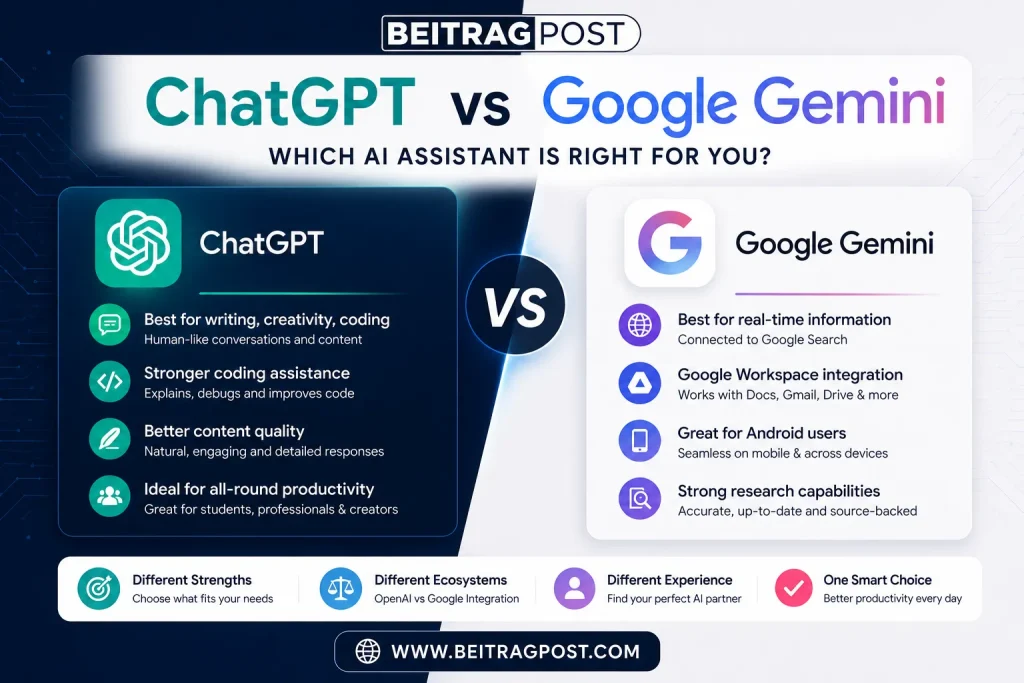
Choosing between ChatGPT vs Google Gemini isn’t about finding one AI that’s better at everything. It’s about finding the one that matches how you actually work. ChatGPT excels at writing, brainstorming, coding, and natural conversations, while Google Gemini stands out for real-time information, Google Workspace integration, and research powered by Google’s ecosystem.
For most people, ChatGPT is the better all-round AI assistant. However, if you rely heavily on Gmail, Google Docs, Google Drive, or Android devices, Google Gemini may fit your workflow more naturally. The right choice depends on your daily tasks rather than brand loyalty.
We’ve compared both platforms across the areas that matter most—including writing quality, research, coding, pricing, ease of use, and overall value so you can confidently choose the AI assistant that’s right for you.
Quick Verdict
If you only want the short answer, here’s our recommendation.
| If You Need… | Better Choice |
|---|---|
| Best overall AI assistant | 🏆 ChatGPT |
| Better writing and creativity | 🏆 ChatGPT |
| Better coding assistance | 🏆 ChatGPT |
| Better research with current web information | 🏆 Google Gemini |
| Google Docs, Gmail & Drive integration | 🏆 Google Gemini |
| Better AI for beginners | 🏆 ChatGPT |
| Best free AI experience | 🏆 ChatGPT |
| Best for Android users | 🏆 Google Gemini |
Editor’s Verdict: If you’re choosing your first AI assistant, ChatGPT offers the better overall experience for most users. Gemini becomes a stronger option if you’re already deeply invested in Google’s ecosystem.
ChatGPT vs Google Gemini at a Glance
| Feature | ChatGPT | Google Gemini |
|---|---|---|
| Best For | Writing, creativity & coding | Research & Google apps |
| Free Version | ✅ Excellent | ✅ Excellent |
| Paid Plan | ChatGPT Plus | Google AI Pro |
| Writing Quality | ⭐⭐⭐⭐⭐ | ⭐⭐⭐⭐☆ |
| Research | ⭐⭐⭐⭐☆ | ⭐⭐⭐⭐⭐ |
| Coding | ⭐⭐⭐⭐⭐ | ⭐⭐⭐⭐☆ |
| Creativity | ⭐⭐⭐⭐⭐ | ⭐⭐⭐⭐☆ |
| Google Workspace Integration | ⭐⭐☆☆☆ | ⭐⭐⭐⭐⭐ |
| Ease of Use | ⭐⭐⭐⭐⭐ | ⭐⭐⭐⭐☆ |
| Overall Winner | 🏆 |
What Makes These AI Assistants Different?
At first glance, ChatGPT and Gemini seem very similar. Both answer questions, generate content, summarize information, translate languages, and help with coding.
The biggest difference is their philosophy.
ChatGPT is designed as a versatile conversational assistant. It focuses on helping users think, write, solve problems, and create content across almost any topic.
Google Gemini, on the other hand, is built around Google’s ecosystem. It works especially well with Gmail, Google Docs, Google Drive, Google Maps, Android, and Google Search, making it a practical choice for users who already spend most of their day using Google’s services.
Neither approach is universally better. The right choice depends on how you plan to use AI.
Writing Quality Comparison
For writers, bloggers, marketers, students, and business professionals, writing quality is often the deciding factor.
ChatGPT
ChatGPT consistently produces natural, well-structured writing with minimal editing. Whether you’re drafting blog posts, rewriting emails, creating marketing copy, or brainstorming ideas, its responses generally feel more conversational and polished.
It also follows detailed instructions exceptionally well, making it easier to control tone, formatting, and writing style.
Google Gemini
Gemini has improved significantly and handles everyday writing tasks well. It performs particularly well inside Google Docs, where it can assist with drafting and editing documents without switching applications.
However, for longer-form content, creative writing, and nuanced responses, it can occasionally feel more formal or less natural than ChatGPT.
Winner: 🏆 ChatGPT
For most writing tasks, ChatGPT delivers more consistent, engaging, and publication-ready results with less manual editing.
Research and Finding Information
Research is one area where the gap between these AI assistants becomes much smaller.
ChatGPT
ChatGPT explains complex ideas clearly and is excellent for learning, brainstorming, and simplifying difficult topics. It shines when you want detailed explanations rather than just quick answers.
Google Gemini
Gemini benefits from Google’s search ecosystem and is especially useful when researching current events, recent product launches, or topics that change frequently. It also provides source references more naturally for many web-based queries.
For users who regularly fact-check information or work with Google’s services, this can save valuable time.
Winner: 🏆 Google Gemini
When current information and web research matter most, Gemini has the advantage.
Which One Is Easier for Beginners?
Both platforms are beginner-friendly, but ChatGPT’s simple interface and conversational style make it slightly easier for someone using AI for the first time.
If you’ve never used an AI chatbot before, our complete guide on How to Use ChatGPT for Free walks you through creating an account, writing your first prompts, and getting useful answers without paying for ChatGPT Plus.
Coding and Programming
Developers were among the first groups to adopt AI assistants, and today both ChatGPT and Gemini can generate code, explain errors, and help debug applications. However, they don’t always perform equally.
ChatGPT
ChatGPT has built a strong reputation among developers because it explains code instead of simply generating it. If you’re learning Python, JavaScript, C++, SQL, or another language, it can break down complex concepts into beginner-friendly explanations and often suggests cleaner, more efficient solutions.
It also performs well when:
- Debugging code
- Explaining error messages
- Refactoring existing code
- Writing documentation
- Learning new programming languages
For beginners, the conversational approach makes learning less intimidating.
Google Gemini
Gemini is also a capable coding assistant and integrates naturally with Google’s developer ecosystem. It handles common programming tasks well and is particularly useful for developers working with Google Cloud services, Android development, or Google Workspace automation.
While its coding quality has improved significantly, its explanations can sometimes feel less detailed than ChatGPT’s, especially when solving complex programming problems.
Winner: 🏆 ChatGPT
For learning to code, debugging, and detailed explanations, ChatGPT remains the stronger choice for most developers and students.
Accuracy and Reliability
One of the biggest misconceptions about AI is that it always gives correct answers.
The reality is that both ChatGPT and Gemini can occasionally make mistakes, so important information should always be verified.
ChatGPT
ChatGPT excels at explaining concepts in a logical and easy-to-understand way. However, if you ask about very recent events or rapidly changing information, its answers may occasionally be outdated or require verification.
Its strength is reasoning through problems rather than acting as a live search engine.
Google Gemini
Gemini has an advantage when dealing with current information because of its close integration with Google’s search capabilities. It can often provide fresher information and direct users toward supporting sources for verification.
This makes it particularly useful for:
- News
- Recent product releases
- Market trends
- Current events
- Fast-changing technology topics
Winner: 🏆 Google Gemini
If your work depends on up-to-date information, Gemini generally has the edge.
Editor’s Note: Regardless of which AI you choose, never rely on AI alone for medical, legal, financial, or other high-stakes decisions. Always verify important information using trusted sources.
Google Workspace and Productivity
This category highlights one of the biggest differences between these AI assistants.
ChatGPT
ChatGPT is largely platform-independent. It works through your browser or app and supports countless tasks, but it doesn’t naturally live inside Google’s productivity tools.
If you spend most of your day writing, brainstorming, or solving problems, that’s usually not a limitation.
Google Gemini
Gemini was built to work alongside Google’s ecosystem.
It integrates directly with:
- Gmail
- Google Docs
- Google Sheets
- Google Drive
- Google Calendar
- Android devices
For example, you can summarize long emails, draft replies, organize documents, and work with files stored in Google Drive without constantly switching between applications.
Winner: 🏆 Google Gemini
If your daily workflow revolves around Google Workspace, Gemini provides a smoother and more connected experience.
Pricing Comparison
Fortunately, you don’t have to pay before trying either platform.
Both offer free plans that let you explore their core capabilities.
| Plan | ChatGPT | Google Gemini |
|---|---|---|
| Free Version | ✅ Available | ✅ Available |
| Paid Plan | ChatGPT Plus | Google AI Pro |
| Typical Monthly Price | Around $20 | Around $20 |
| Best Value | Heavy AI users | Google Workspace users |
For beginners, neither paid plan is essential.
Start with the free version, discover how AI fits into your workflow, and upgrade only if you reach a genuine limitation.
If you’re interested in trying Gemini before paying for Google AI Pro, our How to Use Google Gemini guide explains how to create an account, access the free version, and start using its most useful features.
Ease of Use
A great AI assistant shouldn’t require hours of learning before it becomes useful.
ChatGPT
ChatGPT has one of the cleanest interfaces available.
Open the website.
Type your question.
Receive an answer.
That simplicity is one of the biggest reasons it has become the AI assistant most beginners recommend to friends and family.
Google Gemini
Gemini is also easy to use, especially for anyone already familiar with Google’s products.
Its interface feels modern and integrates naturally with existing Google accounts, although some advanced Workspace features may take a little longer to discover.
Winner: 🏆 ChatGPT
For someone completely new to AI, ChatGPT offers the smoother learning curve.
Who Should Choose ChatGPT?
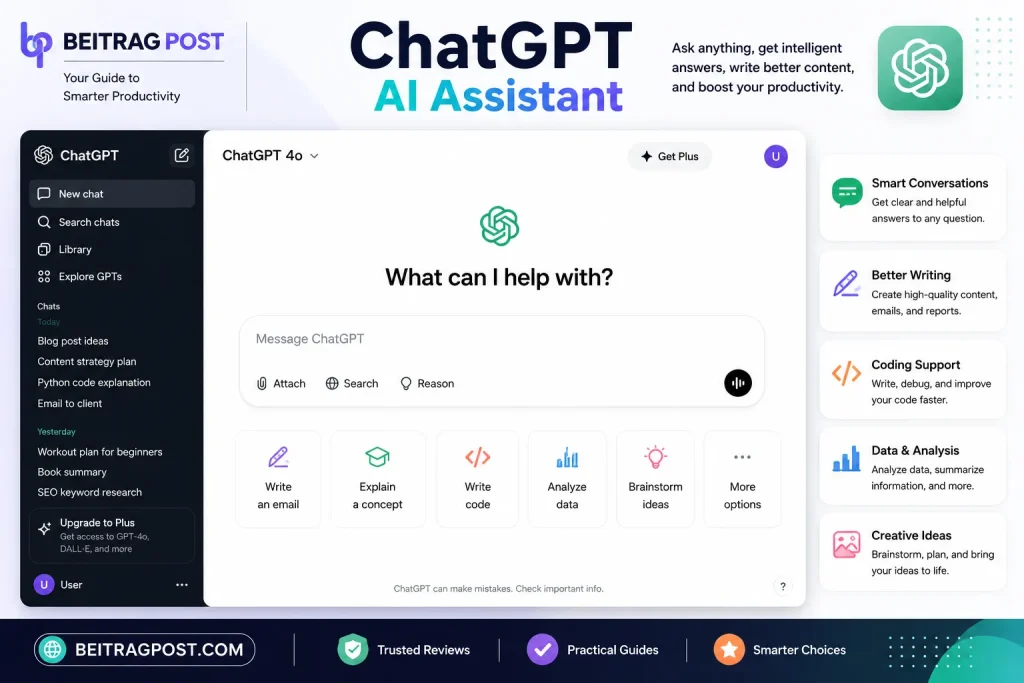
ChatGPT is the better choice if you:
- Write articles, emails, or marketing content.
- Need help brainstorming ideas.
- Want detailed explanations for learning.
- Learn programming or write code regularly.
- Prefer a simple, distraction-free interface.
- Want the best all-round AI assistant.
Who Should Choose Google Gemini?
Google Gemini makes more sense if you:
- Use Gmail and Google Docs every day.
- Work inside Google Workspace.
- Need current information frequently.
- Rely on Android devices.
- Prefer Google services over third-party tools.
- Want AI integrated into your existing workflow.
Which AI Assistant Should You Choose?
After comparing ChatGPT and Google Gemini across writing, research, coding, pricing, and productivity, one thing becomes clear:
Neither AI assistant is perfect for everyone.
The best choice depends on how you plan to use AI in your daily life.
Choose ChatGPT If…
ChatGPT is likely the better fit if you:
- Write blogs, articles, or marketing content.
- Need help with emails, reports, or business communication.
- Want creative brainstorming and idea generation.
- Are learning to code or regularly work with programming languages.
- Prefer detailed explanations instead of short answers.
- Want a flexible AI assistant that can handle almost any task.
For freelancers, students, marketers, writers, developers, and most everyday users, ChatGPT offers the most balanced experience.
Choose Google Gemini If…
Google Gemini makes more sense if you:
- Spend most of your day in Gmail or Google Docs.
- Use Google Drive to manage files.
- Work with Google Workspace professionally.
- Need current information and web research regularly.
- Use an Android phone as your primary device.
- Want AI deeply integrated into Google’s ecosystem.
Gemini is less about replacing Google and more about making Google’s existing tools smarter.
Can You Use Both Together?
Absolutely and for many people, that’s the smartest approach.
Instead of choosing one AI for everything, use each where it performs best.
For example:
- Use ChatGPT for writing, brainstorming, coding, and explaining complex topics.
- Use Google Gemini for researching current information, managing Google Workspace, and working with Gmail or Google Docs.
Many professionals already combine multiple AI tools because each platform has strengths the other doesn’t.
Editor’s Insight: You don’t have to be loyal to a single AI assistant. The most productive users choose the right tool for the task rather than expecting one platform to do everything perfectly.
Is ChatGPT Better Than Google Gemini?
For most users, yes.
ChatGPT consistently provides better writing quality, more natural conversations, stronger coding support, and a smoother overall experience.
However, “better” doesn’t always mean “better for you.”
If your daily workflow depends heavily on Google’s ecosystem, Gemini’s deep integration can save time and reduce unnecessary switching between apps.
That’s why the right answer depends on your priorities not just feature lists.
Frequently Asked Questions
Is ChatGPT more accurate than Google Gemini?
Both AI assistants are highly capable, but accuracy depends on the task. ChatGPT generally provides stronger explanations and reasoning, while Gemini often performs better with current information because of its connection to Google’s services.
Which AI is better for students?
Both are excellent learning tools.
ChatGPT is better for explaining difficult concepts, solving practice problems, and improving writing.
Gemini is particularly useful for researching recent topics and collaborating through Google Workspace.
Which AI is better for content writing?
ChatGPT remains the stronger choice for blog posts, marketing copy, emails, product descriptions, and creative writing.
Its responses usually require less editing and sound more natural.
Which AI is better for coding?
ChatGPT has the advantage for most developers thanks to its detailed explanations, debugging support, and ability to explain programming concepts clearly.
Gemini is still a capable coding assistant, especially for developers working within Google’s ecosystem.
Is Google Gemini completely free?
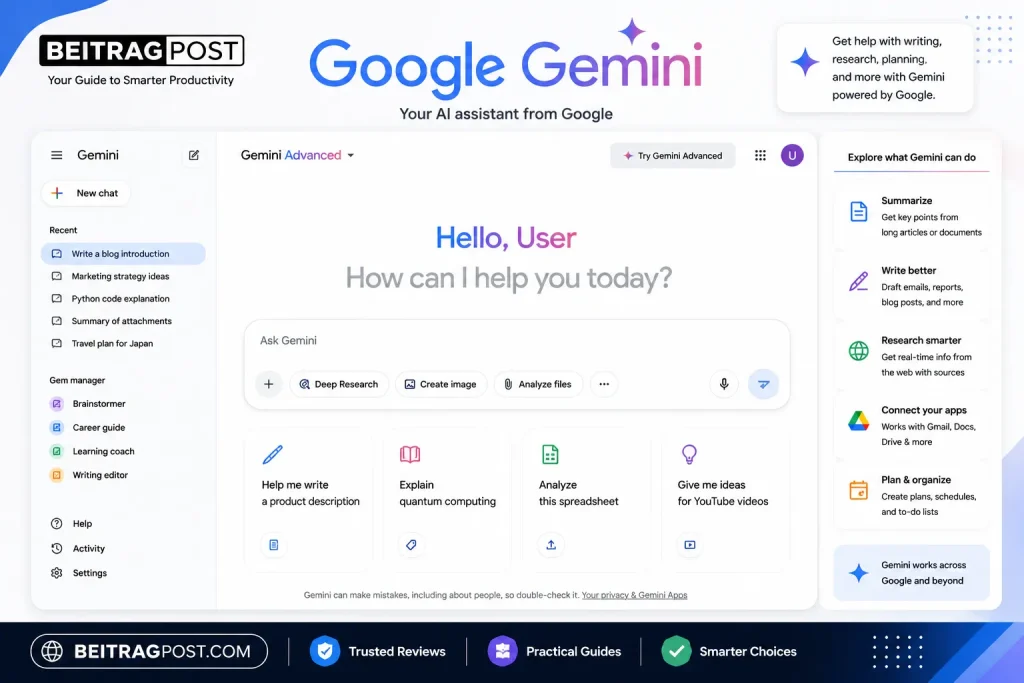
Yes.
Google Gemini offers a free version with useful everyday features, while advanced capabilities are available through Google’s paid AI subscription.
Should beginners choose ChatGPT or Gemini?
If you’re completely new to AI, ChatGPT is usually the easier starting point because of its simple interface and conversational style.
Once you’re comfortable using AI, you can always try Gemini to see whether its Google integrations better suit your workflow.
Final Verdict
When comparing ChatGPT vs Google Gemini, there isn’t a single winner for every situation—but there is a clear winner for most people.
If you want one AI assistant that handles writing, brainstorming, coding, learning, and everyday productivity exceptionally well, ChatGPT is our top recommendation. It offers the most polished all-round experience and remains the easiest platform for beginners to start with.
Google Gemini earns its place by doing something different rather than trying to copy ChatGPT. Its deep integration with Gmail, Google Docs, Google Drive, Android, and Google Search makes it an excellent choice for users already invested in Google’s ecosystem.
Ultimately, the best AI assistant is the one that fits your daily workflow. Try both free versions, see which feels more natural, and upgrade only if you genuinely need the additional features.
Key Takeaways
Choose ChatGPT for writing, creativity, coding, and all-purpose AI assistance.
Choose Google Gemini for research, current information, and Google Workspace integration.
Both platforms offer generous free versions, making it easy to compare them before spending money.
Most beginners will find ChatGPT easier to learn and use.
Professionals can benefit from using both platforms together, depending on the task.