Notion vs Obsidian vs Evernote
Writing notes has never been easier but choosing the right note-taking app has become surprisingly difficult. Notion vs Obsidian vs Evernote all promise to organize your ideas, projects, and knowledge, yet they take completely different approaches. The best choice isn’t the app with the longest feature list it’s the one that fits the way you actually think and work.
If you’re looking for a quick recommendation, here’s the short version:
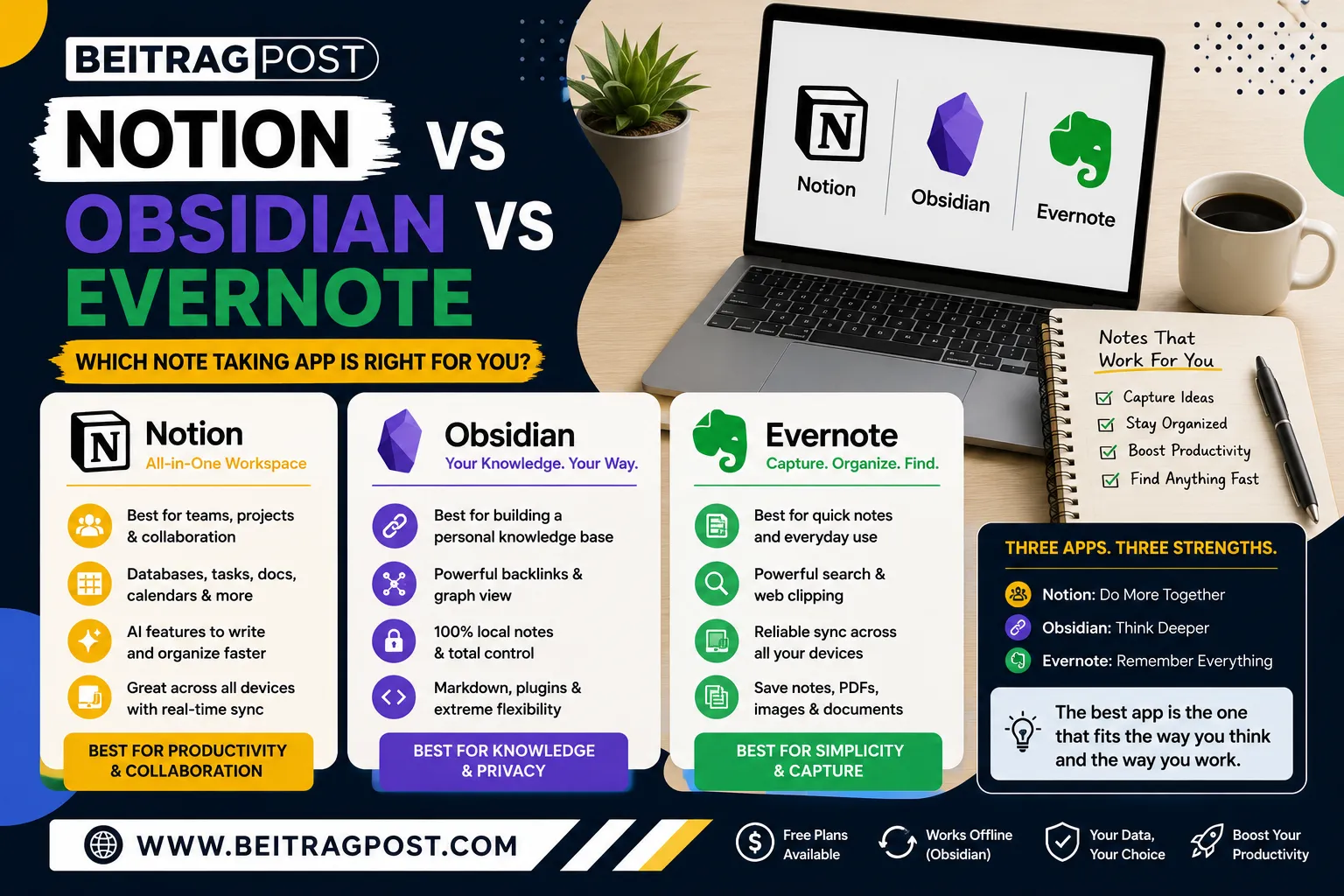
- Choose Notion if you want an all-in-one workspace for notes, tasks, databases, and collaboration.
- OR Choose Obsidian if you prefer complete ownership of your notes, powerful linking, and building a personal knowledge base.
- Choose Evernote if your priority is quickly capturing information across multiple devices with minimal setup.
That simple answer is enough for some people.
For everyone else, the differences become much more important once you consider factors like offline access, collaboration, privacy, AI features, learning curve, pricing, and long-term organization.
After testing multiple note-taking systems, one thing becomes clear: there isn’t a universally “best” app there’s only the best app for the way you work. Someone managing a team has very different needs from a university student, a software developer, or a writer building a second brain.
This comparison doesn’t try to declare one universal winner. Instead, it explains where each app excels, where it falls short, and who should actually use it, so you can make a confident decision without wasting hours switching between platforms.
Notion vs Obsidian vs Evernote
Before comparing individual features, here’s a quick overview of what each platform is designed to do.
| Feature | Notion | Obsidian | Evernote |
|---|---|---|---|
| Best For | Productivity & collaboration | Personal knowledge management | Everyday note-taking |
| Learning Curve | Moderate | Steep | Easy |
| Offline Support | Good | Excellent | Good |
| Team Collaboration | Excellent | Limited | Good |
| Markdown Support | Basic | Excellent | Limited |
| Local Note Storage | No | Yes | No |
| AI Features | Yes | Limited (plugins) | Yes |
| Best Choice For | Teams & creators | Researchers & developers | Casual users |
Instead of asking “Which app has more features?”, ask a better question:
Which app matches the way I capture, organize, and find information every day?
That question usually leads to the right decision much faster.
Notion: The Best All-in-One Productivity Workspace
Notion has grown far beyond being a simple note-taking app.
Today, many people use it as a central workspace for managing projects, documenting workflows, planning content, tracking goals, and collaborating with teams—all from a single interface.
What makes Notion different isn’t just its note editor. It’s the ability to combine notes with databases, calendars, kanban boards, task management, and AI-powered writing tools inside the same workspace.
Where Notion Excels
- Flexible page layouts
- Powerful databases
- Team collaboration
- Built-in templates
- AI writing assistance
- Cross-platform synchronization
Because everything connects together, Notion works particularly well for freelancers, startups, content creators, and remote teams who want one platform instead of juggling multiple productivity apps.
However, that flexibility comes with a trade-off.
New users often feel overwhelmed because there are so many ways to organize information. Without a clear structure, a workspace can quickly become cluttered.
If you’re completely new to the platform, learning the basics first will save you time later. Our guide on How to Use Notion for Beginners walks through the essential features and practical workflows that help new users avoid common mistakes.
Obsidian: Built for People Who Think in Connected Ideas
If Notion is designed around projects, Obsidian is designed around knowledge.
Instead of storing your notes inside the cloud by default, Obsidian keeps them as local Markdown files on your device. That means you own your notes, can access them offline, and aren’t locked into a proprietary file format.
The feature that makes Obsidian stand out is bidirectional linking.
Rather than organizing notes into folders alone, you connect ideas together. Over time, those connections grow into a personal knowledge network—often called a second brain—that makes it easier to discover relationships between topics.
This workflow is especially valuable for:
- Researchers
- Developers
- Technical writers
- Students
- Knowledge workers
- Anyone managing thousands of interconnected notes
The downside is the learning curve.
Obsidian feels simple at first, but unlocking its full potential requires learning Markdown, plugins, and a different way of organizing information. For users who only want a straightforward place to save shopping lists or meeting notes, it may feel unnecessarily complex.
Evernote: Still the Best Choice for Simple Note-Taking?
Evernote was once the app that defined digital note-taking. While newer competitors have introduced advanced features like databases, graph views, and AI-powered workspaces, Evernote still appeals to users who want one thing above all else: a fast and reliable place to save information.
Creating notes takes only a few clicks, syncing across devices is smooth, and features like web clipping, document scanning, and powerful search remain among its biggest strengths.
Where Evernote Performs Well
- Quick note capture
- Excellent web clipper
- Reliable search
- Document scanning
- Easy synchronization across devices
- Minimal learning curve
For professionals who mainly collect meeting notes, PDFs, receipts, research articles, or web pages, Evernote still offers one of the simplest experiences available.
The challenge is that productivity software has evolved. Users who need project management, linked knowledge systems, or advanced collaboration often find Evernote more limited than Notion or Obsidian.
Which App Is Easier to Learn? Notion vs Obsidian vs Evernote
A feature-rich app isn’t always the best app. Sometimes the learning curve matters just as much.
Here’s how they compare.
| App | Difficulty | Best For |
|---|---|---|
| Evernote | ⭐ Easy | Beginners and casual users |
| Notion | ⭐⭐⭐ Moderate | Productivity enthusiasts and teams |
| Obsidian | ⭐⭐⭐⭐ Advanced | Power users and knowledge workers |
If you’ve never used a modern productivity tool before, Evernote feels familiar almost immediately.
Notion takes longer because you’re building your own workspace rather than using a fixed structure.
Obsidian requires the most patience. Understanding Markdown, plugins, backlinks, and knowledge graphs takes time, but many users believe the long-term benefits justify the effort.
Which App Offers the Best Free Plan? Notion vs Obsidian vs Evernote
Pricing matters, but so do the limitations that come with each free plan.
Here’s a practical comparison.
| Feature | Notion | Obsidian | Evernote |
|---|---|---|---|
| Free Plan | Excellent | Excellent | Limited |
| Device Sync | Yes | Local by default | Limited |
| Offline Access | Yes | Yes | Yes |
| AI Included | Limited | Plugin-based | Limited |
| Upgrade Needed For | Advanced AI & team features | Optional sync & premium services | Better storage & premium features |
If your budget is tight, Notion and Obsidian generally provide more flexibility before requiring a paid subscription.
Evernote’s free plan works well for light note-taking but becomes restrictive much sooner for heavy users.
Notion vs Obsidian vs Evernote Which App Is Best for Different Types of Users?
This is where the comparison becomes much easier.
Instead of asking “Which app is best?”, ask “Which app is best for someone like me?”
Choose Notion if…
- You manage projects and notes together.
- You work with a team.
- You enjoy customizing your workspace.
- You want databases, calendars, and tasks in one place.
- You like using AI to speed up writing and organization.
OR Choose Obsidian if…
- You own thousands of notes.
- You value privacy and local storage.
- You enjoy connecting ideas through backlinks.
- You build a personal knowledge base.
- You don’t mind a steeper learning curve.
Choose Evernote if…
- You simply want to capture notes quickly.
- You frequently save web pages and documents.
- You prefer an interface that’s easy to understand.
- You don’t need advanced productivity features.
For readers still deciding between multiple tools, our guide to Best Note Taking Apps compares additional options and explains where each one fits, making it easier to choose the right app for your workflow.
Notion vs Obsidian vs Evernote Which App Wins in the Areas That Matter Most?
Different people prioritize different features, so there’s no single winner across every category.
| Category | Winner | Why It Wins |
|---|---|---|
| Overall Productivity | Notion | Combines notes, tasks, databases, and collaboration. |
| Knowledge Management | Obsidian | Powerful backlinks, graph view, and local Markdown storage. |
| Simplicity | Evernote | Fast setup and minimal learning curve. |
| Team Collaboration | Notion | Real-time collaboration and shared workspaces. |
| Privacy & Ownership | Obsidian | Your notes stay on your device by default. |
| Beginners | Evernote | Easiest experience for new users. |
| Long-Term Personal Knowledge | Obsidian | Designed for building a connected knowledge system. |
Here’s the biggest takeaway:
- Notion wins if your work revolves around projects and collaboration.
- Obsidian wins if your work revolves around thinking, learning, and connecting ideas.
- Evernote wins if your priority is capturing and finding notes as quickly as possible.
Notice that none of these apps “loses.” They simply solve different problems.
Performance, Speed, and Everyday Experience
Features are important, but they don’t tell the whole story. The app you enjoy using every day is usually the one you’ll stick with long term.
Here’s how these three apps compare in real-world use.
Notion
Notion feels polished and modern, especially when you’re working on projects or collaborating with others. However, large workspaces with thousands of pages can occasionally feel slower, particularly on older devices.
If your workflow revolves around planning, documentation, and teamwork, that trade-off is usually worth it.
Obsidian
Obsidian is incredibly fast because your notes are stored locally instead of constantly loading from the cloud.
Even knowledge bases containing thousands of notes remain responsive, making it one of the quickest note-taking applications available.
Evernote
Evernote offers a smooth experience for everyday note-taking, clipping web pages, and organizing documents. While it has improved significantly over recent updates, power users may still notice that it isn’t as flexible as its competitors.
Performance Winner: Obsidian
Best Everyday Experience: Notion
Best for Quick Capture: Evernote
Privacy and Data Ownership about Notion vs Obsidian vs Evernote
Privacy has become a deciding factor for many users, especially those storing years of research, personal journals, or business documentation.
This is one area where the three apps take very different approaches.
Notion
Your notes are stored in the cloud, allowing seamless access across devices and easy collaboration. The trade-off is that internet connectivity plays a bigger role in your overall experience.
Obsidian
Obsidian stores notes locally as Markdown files by default. You control where they’re stored, how they’re backed up, and which cloud service—if any—you use.
For users who value ownership and long-term accessibility, this is one of Obsidian’s strongest advantages.
Evernote
Evernote uses cloud-based synchronization, making it convenient to access notes from multiple devices. It works well for users who prioritize convenience over complete local control.
If privacy and ownership are your highest priorities, Obsidian clearly leads this category.
Our Recommendation Based on Your Needs
After comparing all three platforms, one thing becomes obvious:
There isn’t a single winner.
There are three different winners, depending on how you work.
Choose Notion if…
✔ You manage projects, notes, tasks, and documents together.
✔ You collaborate with colleagues or clients.
You want AI features built into your workspace.
✔ You like customizing dashboards and workflows.
Choose Obsidian if…
✔ You want complete ownership of your notes.
✔ You enjoy connecting ideas through backlinks.
You’re building a long-term personal knowledge base.
✔ You value speed, privacy, and offline access.
Choose Evernote if…
✔You simply want to capture and organize notes quickly.
You frequently save articles, PDFs, and meeting notes.
✔You don’t need advanced productivity systems.
You prefer an interface that’s easy to learn.
Final Verdict
If someone asked me to recommend only one app without knowing anything about them, I’d choose Notion because it offers the most balanced combination of note-taking, project management, collaboration, templates, databases, and AI features.
However, if the recommendation were based on specific use cases, my answer would change.
- Students and professionals managing projects: Notion
- Researchers, developers, and knowledge workers: Obsidian
- Casual users who just want reliable note-taking: Evernote
The best note-taking app isn’t necessarily the one with the most features. It’s the one that fits naturally into your daily workflow and makes organizing information effortless.
Frequently Asked Questions
Which is better: Notion, Obsidian, or Evernote?
There isn’t a universal winner. Notion is ideal for productivity and collaboration, Obsidian excels at personal knowledge management, and Evernote remains a solid choice for simple note-taking and information capture.
Is Obsidian better than Notion?
If your goal is building a connected knowledge base with complete ownership of your notes, yes. If you need project management, teamwork, databases, and collaboration, Notion is usually the better choice.
Is Evernote still worth using in 2026?
Yes, especially for users who value quick note capture, excellent search, and a straightforward interface. However, users looking for advanced workflows may find Notion or Obsidian more capable.
Which app is best for students?
Most students will benefit from Notion because it combines lecture notes, assignments, calendars, study planners, and task management in one workspace.
Which app is best for writers and researchers?
Obsidian is often the preferred choice because backlinks, graph view, and Markdown support make it easier to organize large amounts of interconnected research.
Final Thoughts
Choosing between Notion vs Obsidian vs Evernote isn’t about finding the app with the longest feature list it’s about choosing the one that complements the way you think and work.
If collaboration, project planning, and flexibility matter most, Notion is the strongest all-round option. If your priority is building a long-term knowledge system with complete control over your notes, Obsidian stands out. And if you simply need a dependable place to capture ideas without a steep learning curve, Evernote remains a practical choice.
If you’re leaning toward Notion but haven’t used it before, our How to Use Notion for Beginners guide explains the fundamentals and helps you build an organized workspace from day one.