10 Best AI Tools for Beginners in 2026 Tested and Ranked
The best AI tools for beginners are not the most powerful ones. They are the ones that solve real problems without needing a manual or a tutorial. In 2026, over 100 AI tools compete for your attention. Most of them you will never need. Every tool on this list was tested by real people doing real tasks. Every recommendation comes with an honest assessment of strengths, weaknesses, and who it suits best. If you are starting from zero with AI, this is where to begin.
Best AI Tools for Beginners What Makes a Tool Worth Using
Most AI tool lists are genuinely unhelpful. They recommend the same ten tools every other list does. Writers test each tool for thirty minutes and move on. The result reads more like a press release than practical advice you can actually use.
Good AI tools for beginners share specific qualities that rarely get mentioned. They need a free tier that actually lets you accomplish something meaningful. A crippled demo version that requires a credit card after two interactions does not count. They need an interface that does not assume you already know what prompts are, what tokens mean, or what models run underneath. They need to solve a problem that a real beginner actually has.
Every tool on this list meets those criteria. Some are free forever. Some have paid tiers worth considering. All of them are worth your time.
To understand how these tools actually work under the hood, read our explanation of how does AI work it covers machine learning and neural networks in plain language that clarifies both the capabilities and the real limitations of every tool on this list.
ChatGPT by OpenAI
ChatGPT remains the single best starting point for anyone new to AI in 2026. The free version runs on GPT-4o mini. It is genuinely capable not a watered-down version designed to frustrate you into upgrading. You can have full conversations, get detailed answers, summarize documents, brainstorm ideas, draft emails, explain complex topics in simple language, and write or debug basic code all without paying anything.
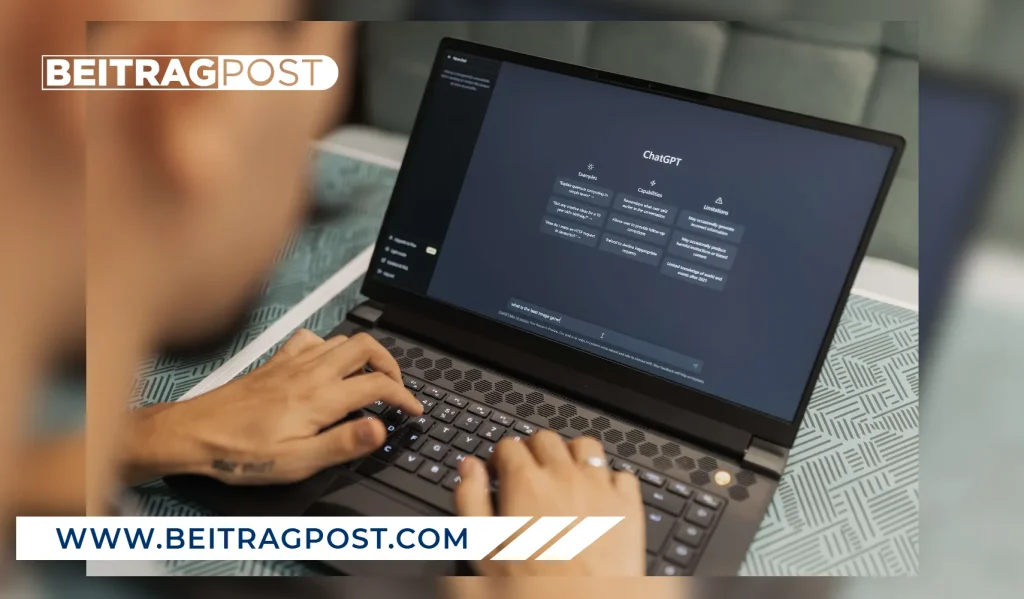
The paid version costs twenty dollars per month. It adds access to more powerful models, image generation through DALL-E, custom GPTs built by the community for specific tasks, and the ability to upload files for analysis. For most beginners, the free tier is enough to get started and decide whether AI genuinely fits their workflow.
ChatGPT’s biggest strength is versatility. No other tool on this list handles as many different task types as well. The weakness is accuracy it occasionally generates confident wrong answers, especially for recent events or specific factual claims. Always verify anything important from an independent source.
ChatGPT works best for writing assistance, research, learning new topics, brainstorming, and everyday question-answering. The free tier delivers genuine value and the paid upgrade remains optional for most beginners starting out.
If you’re wondering whether the free version is enough for everyday use, our guide on How to Use ChatGPT for Free walks through everything from creating an account to using the most useful features without paying for a subscription. It’s a practical starting point if you’re completely new to ChatGPT and want to get the most out of its free plan.
Google Gemini
Google Gemini is the most practical AI tool for people already living inside Google’s ecosystem which in 2026 means most people on the planet. Gemini connects directly with Gmail, Google Docs, Google Drive, Google Search, and Android in ways that ChatGPT simply cannot match without third-party connections.
The standout feature for beginners is Gemini in Google Search. Instead of returning ten links and leaving you to read through all of them, Gemini synthesizes information from across the web and gives a direct answer with sources. For research tasks this saves significant time. For fact-checking, the sourcing makes it considerably more reliable than ChatGPT for current information.
Gemini Advanced costs approximately twenty dollars per month as part of Google One AI Premium. It gives access to Google’s most powerful model and adds the ability to analyze large documents, generate images, and use Gemini directly inside Google Workspace apps including Docs and Sheets. For students and professionals who live in Google’s ecosystem, this integration delivers real daily value.
Gemini works best for research, Google Workspace integration, current information, and Android users. The free tier is strong and continues improving with every update Google ships.
Microsoft Copilot
Microsoft Copilot is the most immediately practical AI tool for anyone whose work happens inside Microsoft Office. Copilot lives inside Word, Excel, PowerPoint, Outlook, Teams, and OneNote. The integration changes how those applications work at a fundamental level.
Word users get document drafting from a short description. Rewriting sections in different tones takes a single click. Long documents summarize into key points automatically. Excel handles formula writing from plain English descriptions. Charts generate without manual configuration. PowerPoint builds entire presentation decks from a text outline or an existing document. Outlook summarizes long email threads, drafts replies based on context, and schedules meetings without manual calendar management.
The free version at copilot.microsoft.com works well as a general AI assistant with Bing integration for current web information. Full Office integration requires a Microsoft 365 subscription. For anyone using Microsoft tools professionally, Copilot delivers the most immediately practical AI upgrade available in 2026.
Perplexity AI
Perplexity AI takes a fundamentally different approach from every other tool on this list. It is specifically designed to answer questions with cited sources from current web pages. Think of it as a research assistant rather than a conversational AI.
Ask Perplexity a question and it reads current web pages, synthesizes the information, and gives a direct answer with numbered citations you can click and verify. For anyone who needs accurate current information with traceable sources, Perplexity is more reliable than ChatGPT and often faster than traditional search.

The free version handles most research tasks well. Perplexity Pro costs twenty dollars per month. It adds more powerful underlying models and the ability to upload files for analysis. For students, researchers, journalists, and anyone who spends significant time looking things up online, Perplexity is among the most genuinely useful tools on this entire list. The combination of speed, accuracy, and source transparency makes it a tool that most beginners underestimate until they actually try it.
Claude by Anthropic
Claude handles long documents and nuanced writing tasks better than any other beginner-friendly AI tool available in 2026. Feed it a fifty-page PDF, a lengthy article, or a complex document. Claude processes the entire thing accurately and responds in clear, well-organized language.
For writing tasks requiring careful reasoning — analyzing arguments, editing drafts for clarity and structure, writing thoughtful responses Claude consistently produces output that reads more naturally and requires less editing than comparable tools. Maintaining consistent tone across long pieces of writing is a particular strength. Explaining its reasoning transparently is another.
The free tier gives access to Claude’s capable base model with daily usage limits. Claude Pro costs twenty dollars per month. It removes those limits and allows significantly longer conversations and document uploads. Claude works best for long document analysis, nuanced writing, editing, and reasoning tasks that require genuine care and precision.
Canva AI
Canva has been the go-to design tool for non-designers since 2013. The addition of AI features in recent years made it dramatically more powerful without adding meaningful complexity for beginners. In 2026, Canva AI includes text-to-image generation, background removal, automatic image enhancement, AI-powered layout suggestions, and the ability to generate entire presentation decks from a text description.
The magic Canva pulls off is making these capabilities feel like natural extensions of its existing interface rather than separate AI features you need to figure out. Someone who has never used design software can open Canva, describe what they want to create, and have a professional-looking result in under five minutes. That accessibility is what separates Canva from every other design tool on the market.
The free tier includes basic AI features and access to millions of templates. Canva Pro costs approximately fifteen dollars per month per user. It unlocks the full AI toolkit, removes usage limits on AI features, and adds a significantly larger asset library. Canva works best for social media graphics, presentations, marketing materials, and design without any design skills whatsoever.
Grammarly
Grammarly works differently from every other tool on this list. It does not require you to change how you write or open a new application. Install the browser extension or desktop app and Grammarly reads everything you type across every application and website. Grammar errors, style suggestions, and tone issues appear in real time as you write.
In 2026, Grammarly’s AI features extend well beyond grammar checking. The tool rewrites entire sentences for clarity, adjusts tone for different audiences, detects potential plagiarism, and generates short text completions. For anyone who writes professionally emails, reports, proposals, social media posts Grammarly delivers among the highest returns of any AI investment on this list.
The free version catches grammar and spelling errors reliably. Grammarly Premium costs approximately twelve dollars per month. It adds style suggestions, tone detection, clarity rewrites, and plagiarism checking. Grammarly works best for writing improvement, email communication, professional documents, and real-time editing across every application you use daily.
Notion AI
Notion has become one of the most popular productivity and knowledge management tools available, and the AI features have made it considerably more powerful for beginners already using the platform. And Notion AI lives inside your workspace and helps you write, summarize, translate, brainstorm, and organize information without leaving the application.
The most useful feature for beginners is the ability to ask Notion AI questions about your own notes and documents. If you have been taking notes on a project inside Notion, you can ask Notion AI to summarize everything you have captured, identify gaps in your research, generate action items, or draft a report based on your notes. This transforms a note-taking app into something much closer to a personal research assistant.
Notion’s base plan is free. Notion AI costs eight dollars per month as an add-on to any Notion plan. For anyone already using Notion or looking for a combined productivity and AI tool, this is an efficient way to access practical AI features at a reasonable price without committing to a more expensive standalone AI subscription.
Otter AI
Otter AI solves one specific problem extraordinarily well it transcribes audio in real time and produces accurate written records of conversations, meetings, interviews, and lectures automatically. In 2026, Otter integrates directly with Zoom, Microsoft Teams, and Google Meet. It joins your calls automatically and produces a searchable transcript while the conversation happens, without any manual effort required.
For students recording lectures, professionals running back-to-back meetings, journalists conducting interviews, or anyone who needs to capture spoken information accurately without furious note-taking, Otter is genuinely transformative. The AI summary feature condenses hour-long meetings into key points and action items in seconds. The searchable transcript means finding any specific moment from a two-hour meeting takes under ten seconds.
The free tier provides 300 minutes of transcription per month. That covers several meetings or lectures comfortably. Otter Pro costs approximately seventeen dollars per month and removes that limit entirely. Otter works best for meeting transcription, lecture notes, interview recording, and any situation requiring accurate and searchable audio capture without manual effort.
Midjourney
Midjourney produces the highest quality AI-generated images available to consumers in 2026. It operates through Discord rather than a traditional website. Despite that unusual interface, most beginners learn the basics within thirty minutes. Describe what you want in plain language a photograph, an illustration, a graphic design concept, or an abstract composition and Midjourney generates four variations in approximately sixty seconds.

The quality difference between Midjourney and free image generation alternatives is significant enough to matter for professional use. Marketing teams, bloggers, content creators, and small business owners use Midjourney to generate custom imagery for websites, social media, presentations, and marketing materials. Compared to stock photography costs or custom illustration rates, Midjourney delivers exceptional value for anyone with regular image needs.
Midjourney has no meaningful free tier in 2026. The basic plan starts at ten dollars per month. For anyone who needs quality AI-generated images on a regular basis, that price is reasonable given what the tool consistently produces across a wide range of styles and subjects.
How to Choose the Right AI Tool From This List
Most beginners do not need ten AI tools. They need one or two that solve their specific problems well. Here is a practical framework for deciding where to start rather than trying everything at once.
Start with ChatGPT on the free tier if you want a general-purpose AI assistant for writing, research, and everyday tasks. Use it for two weeks before deciding whether to pay for anything. Add Perplexity to your workflow if you care about accurate cited information and spend significant time researching topics online. Choose Copilot if your work is primarily in Microsoft Office and you want AI features that integrate directly into tools you already use every day.
Add Grammarly if you write professionally and want real-time help without changing your existing workflow. Try Otter AI’s free tier if you attend a lot of meetings or need to capture audio accurately without manual note-taking. Consider Midjourney only if you need high quality images regularly and the ten dollar monthly cost fits your situation.
Start with one tool. Use it until it feels genuinely useful and you understand its limitations. Then decide whether a second tool would solve a problem the first one cannot. Depth of use consistently matters more than the number of tools you collect when you are just starting out with AI.
FAQs Best AI Tools for Beginners
Which AI tool is completely free to use?
ChatGPT, Google Gemini, Perplexity AI, Claude, and Grammarly all offer genuinely useful free tiers in 2026. ChatGPT’s free tier is the most versatile starting point for most beginners. Perplexity is the best free option for research with cited sources. Grammarly’s free tier handles grammar and spelling reliably without requiring any payment to get real value from it.
What is the best AI tool for writing?
ChatGPT and Claude are the strongest options depending on the specific task. ChatGPT handles brainstorming and drafting well across most formats and content types. Claude produces more nuanced writing and handles long-form editing with particular strength and consistency. For real-time writing improvement without changing your existing workflow, Grammarly is the most practical choice for most beginners starting out.
Can beginners use AI tools without any technical knowledge?
Yes, completely. Every tool on this list was selected specifically because it requires no technical background to use effectively. If you can type a sentence describing what you need, you can use ChatGPT, Gemini, Perplexity, Claude, and most other tools here. The interfaces are designed for general users, not developers or data scientists with specialized training.
Are paid AI tools worth the money for beginners?
Start with free tiers and upgrade only when you hit a specific limitation that is genuinely costing you time or preventing you from doing something useful. ChatGPT Pro, Gemini Advanced, and Claude Pro are all twenty dollars per month reasonable if you use the tool daily for professional work. Grammarly Premium delivers clear value for anyone writing professionally. Midjourney is worth the investment specifically if you need high quality AI-generated images on a regular basis.
How many AI tools should a beginner use at once?
Start with one. Use it consistently for two to three weeks until you understand what it does well and where it falls short. Then decide whether a second tool would solve a problem the first one cannot handle. Most people who collect ten AI tools simultaneously end up using none of them well. Depth of use matters far more than breadth of collection when you are just starting your AI journey.
If you are still unsure what AI actually is before diving into specific tools, our complete guide on what is artificial intelligence covers the fundamentals in honest and simple language that gives every recommendation on this list more useful context and meaning.