Best Task Manager Apps: 10 Tools to Organize Work and Stay Productive
Staying organized is easier when you use the best task manager apps to keep track of deadlines, projects, and daily responsibilities. Whether you’re managing personal to-do lists, collaborating with a team, or planning long-term goals, the right app can reduce mental clutter and help you focus on completing important tasks.
However, not every task management app is built for the same type of user. Some are designed for simple daily checklists, while others offer advanced project management, automation, calendars, and team collaboration. Choosing the right one depends on how you work and the features you actually need.
This guide reviews the best task manager apps available today, comparing their strengths, limitations, pricing, and ideal use cases. By the end, you’ll know which app fits your workflow instead of downloading several tools that don’t match your needs.
Best Task Manager Apps: Quick Comparison
If you’re looking for a quick recommendation, this table highlights the strengths of each app.
| App | Best For | Free Plan | Platforms |
|---|---|---|---|
| Todoist | Personal productivity | ✅ Yes | Web, Windows, macOS, Android, iPhone |
| Notion | Custom workspaces | ✅ Yes | Web, Desktop, Mobile |
| Trello | Visual project management | ✅ Yes | Web, Desktop, Mobile |
| ClickUp | Teams and businesses | ✅ Yes | Web, Desktop, Mobile |
| Microsoft To Do | Microsoft users | ✅ Yes | Windows, Web, Mobile |
| TickTick | Personal planning | ✅ Yes | Web, Desktop, Mobile |
| Asana | Team collaboration | ✅ Yes | Web, Desktop, Mobile |
| Google Tasks | Google Workspace users | ✅ Yes | Web, Android, iPhone |
| Any.do | Daily task planning | ✅ Yes | Web, Desktop, Mobile |
| Things 3 | Apple users | ❌ No | macOS, iPhone, iPad |
How We Selected the Best Task Manager Apps
There are hundreds of task management apps available, but only a small number consistently provide a reliable experience.
Instead of choosing apps based on popularity alone, we evaluated each one using practical criteria that matter in everyday use.
We considered:
- Ease of use for beginners
- Features for individuals and teams
- Cross-platform availability
- Collaboration tools
- Customization options
- Free plan value
- Overall performance and reliability
- Long-term usefulness
This approach helps ensure our recommendations work for different types of users, from students and freelancers to remote teams and business professionals.
Best Task Manager Apps for Personal Productivity
Todoist
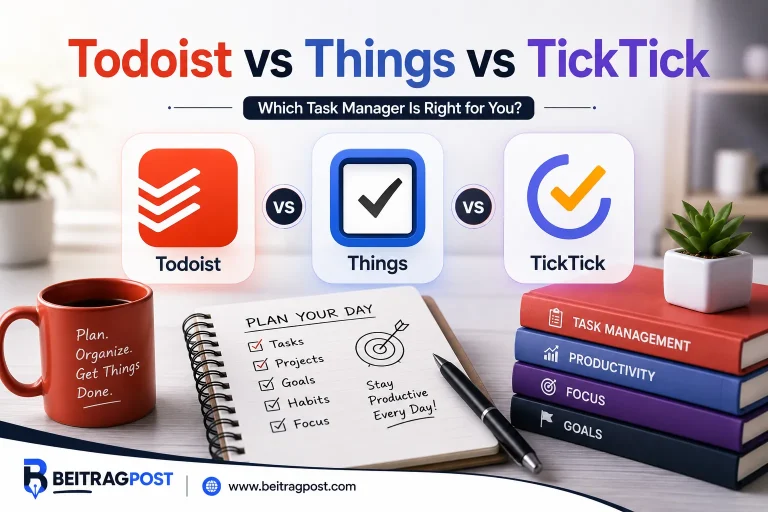
Todoist has earned its reputation as one of the best task manager apps because it balances simplicity with powerful organization features.
Unlike many productivity tools that overwhelm new users with dozens of settings, Todoist keeps task management clean and intuitive while still supporting advanced workflows.
Why Todoist Stands Out
Todoist allows you to:
- Create recurring tasks
- Organize projects with sections
- Set priorities
- Add reminders
- Track productivity trends
- Share projects with others
Its natural language input is particularly useful.
For example, typing:
Finish report every Friday at 3 PM
automatically creates a recurring reminder without requiring multiple manual settings.
Pros
- Easy to learn
- Fast and responsive
- Excellent free plan
- Works across nearly every device
- Great balance between simplicity and advanced features
Cons
- Advanced reminders require a paid plan.
- Complex project management features are limited compared to ClickUp.
Best For
Individuals, students, freelancers, and professionals looking for a reliable everyday task manager.
Notion
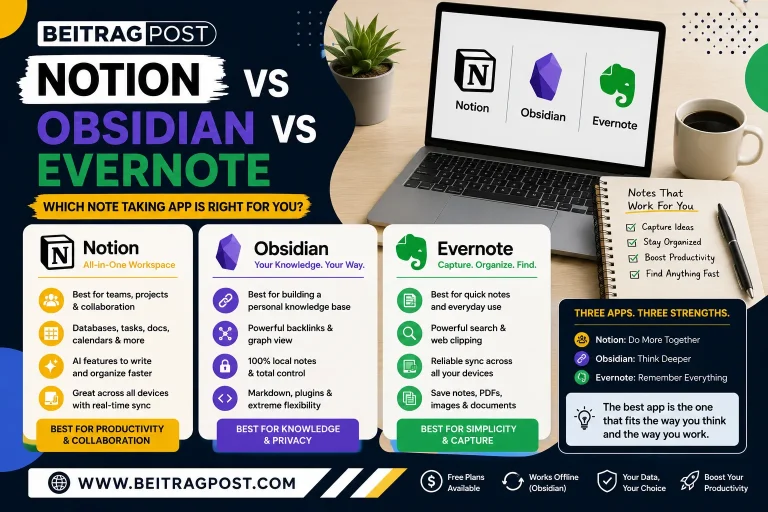
Notion isn’t just a task manager it’s an all-in-one workspace that combines notes, databases, documents, knowledge management, and project planning.
Its flexibility is both its biggest strength and its biggest challenge.
Instead of forcing users into one workflow, Notion lets you build your own system from scratch.
You can create:
- Personal dashboards
- Task boards
- Project trackers
- Meeting notes
- Habit trackers
- Content calendars
- Team knowledge bases
This makes Notion one of the most customizable productivity tools available.
Pros
- Highly customizable
- Combines notes and task management
- Excellent collaboration features
- Powerful free plan
- Suitable for personal and business use
Cons
- Learning curve for new users
- Initial setup takes more time than traditional task managers
Best For
Users who want one workspace for tasks, notes, planning, and documentation.
If you’re new to the platform, our guide to How to Use Notion for Beginners explains how to create your first workspace, organize pages, and build a simple productivity system without feeling overwhelmed.
Microsoft To Do
Microsoft To Do focuses on doing one thing exceptionally well—helping users manage daily tasks without unnecessary complexity.
Its clean interface makes it easy to create lists, schedule reminders, and organize responsibilities across devices.
One feature many users appreciate is My Day, which encourages you to focus only on the tasks you plan to complete today rather than looking at an overwhelming master list.
For anyone already using Microsoft Outlook or Microsoft 365, synchronization happens seamlessly, making it a natural extension of an existing workflow.
Pros
- Extremely easy to use
- Clean interface
- Excellent Outlook integration
- Reliable synchronization
- Completely free for most users
Cons
- Limited project management features
- Fewer customization options than competitors
Best For
Microsoft ecosystem users and anyone who prefers a simple daily planner over a complex project management platform.
Best Task Manager Apps for Teams and Project Collaboration
ClickUp
ClickUp is one of the best task manager apps for users who need more than a simple to-do list. It combines task management, project planning, documents, goals, time tracking, dashboards, and automation into a single platform.
Unlike minimalist apps, ClickUp is built for handling complex workflows. Teams can manage multiple projects, assign tasks, monitor deadlines, and automate repetitive work without switching between different tools.
Why ClickUp Stands Out
ClickUp offers several ways to visualize your work, including:
- List view
- Board (Kanban) view
- Calendar view
- Gantt charts
- Timeline view
This flexibility allows different team members to organize the same project in the way that suits them best.
Pros
- Extremely feature-rich
- Powerful automation tools
- Generous free plan
- Suitable for small teams and large organizations
- Excellent collaboration features
Cons
- Can feel overwhelming for beginners
- Initial setup takes time
Best For
Businesses, project managers, and growing teams that need an all-in-one work management platform.
Trello
Trello takes a visual approach to task management through Kanban boards.
Instead of working with long lists, you organize projects using columns and cards that can be moved as work progresses. This simple drag-and-drop system makes it easy to see what’s planned, what’s in progress, and what’s complete.
For many users, Trello’s biggest strength is how quickly it can be adopted. Even first-time users can build a functional project board within minutes.
Pros
- Very easy to learn
- Excellent visual interface
- Great for collaborative projects
- Supports automation through Butler
- Wide range of integrations
Cons
- Limited reporting features
- Less suitable for highly complex projects
Best For
Marketing teams, content creators, startups, and anyone who prefers a visual workflow.
Asana
Asana is designed to help teams coordinate projects without losing track of responsibilities or deadlines.
Rather than focusing only on individual tasks, Asana emphasizes planning, collaboration, and accountability across departments.
Managers can assign work, monitor project progress, set milestones, and create recurring workflows while team members always know what needs attention next.
Pros
- Strong collaboration tools
- Excellent timeline planning
- Easy workload management
- Suitable for medium and large teams
- Reliable integrations with popular business tools
Cons
- Premium features require a paid subscription
- More functionality than most individuals need
Best For
Organizations managing multiple projects and cross-functional teams.
Best Task Manager Apps for Daily Planning
TickTick
TickTick combines task management with personal productivity tools, making it a favorite among users who like planning every part of their day.
Beyond standard task lists, it includes features such as:
- Habit tracking
- Built-in calendar
- Pomodoro timer
- Smart reminders
- Recurring tasks
Having these tools in one app means you don’t need separate software for focus sessions or habit building.
Pros
- Excellent balance of features
- Built-in productivity tools
- Clean interface
- Reliable reminders
- Affordable premium version
Cons
- Team collaboration is limited
- Some advanced features require Premium
Best For
Individuals who want to combine task planning, habit tracking, and time management in one application.
Google Tasks
Google Tasks keeps task management intentionally simple.
If you already use Gmail, Google Calendar, or Google Workspace, adding and managing tasks feels almost effortless.
Tasks can be created directly from emails, helping you turn important messages into actionable to-do items without copying information between apps.
While it lacks advanced project management features, its simplicity is exactly what many users appreciate.
Pros
- Completely free
- Excellent Google integration
- Minimal learning curve
- Fast and lightweight
- Syncs across devices
Cons
- Very limited advanced features
- Not suitable for large projects
Best For
Google Workspace users who need a straightforward task manager for everyday planning.
Any.do
Any.do focuses on helping users organize both work and personal life.
Its clean interface combines tasks, reminders, calendars, and grocery lists into a single dashboard, making it a practical option for people who prefer managing everything in one place.
The Daily Planner feature also encourages users to review upcoming tasks each morning, helping prioritize what matters most.
Pros
- User-friendly design
- Calendar integration
- Helpful reminder system
- Supports recurring tasks
- Good cross-device synchronization
Cons
- Advanced collaboration features are limited
- Premium plan needed for some productivity tools
Best For
Busy professionals, families, and users managing both personal and work-related responsibilities.
Things 3
Things 3 has built a loyal following among Apple users thanks to its elegant design and smooth user experience.
Rather than overwhelming users with dozens of advanced options, it focuses on thoughtful organization and distraction-free planning.
Projects, areas, deadlines, and recurring tasks are all presented in a way that feels natural without requiring extensive setup.
Pros
- Beautiful interface
- Fast performance
- Excellent organization system
- Optimized for Apple devices
- One-time purchase instead of a subscription
Cons
- Only available on Apple devices
- No free version
- Limited collaboration features
Best For
Mac, iPhone, and iPad users who want a premium personal task manager.
Best Task Manager Apps: Which One Is Right for You?
After reviewing the best task manager apps, one thing becomes clear—there isn’t a single app that’s perfect for everyone. The right choice depends on how you organize your work, the devices you use, and whether you’re managing personal tasks or collaborating with a team.
This quick guide can help you narrow down your options.
| If You Need… | Recommended App | Why It Stands Out |
|---|---|---|
| A simple personal to-do list | Todoist | Clean interface, recurring tasks, and excellent cross-platform support |
| A customizable all-in-one workspace | Notion | Combines notes, databases, projects, and task management |
| Advanced project management | ClickUp | Powerful automation, dashboards, and multiple project views |
| Visual task tracking | Trello | Easy-to-use Kanban boards with drag-and-drop organization |
| Microsoft integration | Microsoft To Do | Seamless syncing with Outlook and Microsoft 365 |
| Personal planning with habit tracking | TickTick | Built-in calendar, Pomodoro timer, and habit tracker |
| Team collaboration | Asana | Excellent workflow management for growing teams |
| Google ecosystem | Google Tasks | Works naturally with Gmail and Google Calendar |
| Personal and family organization | Any.do | Combines tasks, reminders, and calendars in one place |
| Apple-exclusive productivity | Things 3 | Premium experience designed specifically for macOS and iOS |
Rather than choosing the app with the longest feature list, think about which one you’ll actually use every day. A simple app that fits your routine is often more effective than a powerful platform that’s too complicated to maintain.
Do You Need More Than a Task Manager?
A task manager is only one part of an effective productivity system.
Many people also rely on note-taking apps, calendars, cloud storage, focus timers, and collaboration tools to manage their work efficiently. Using the right combination of apps can reduce distractions and create a smoother workflow.
If you’re building a complete productivity setup, our guide to Best Productivity Apps compares the top tools for task management, note-taking, collaboration, scheduling, and time management to help you choose the right combination.
Common Mistakes When Choosing a Task Manager
Many users switch between multiple apps because they choose features they don’t actually need.
Avoid these common mistakes before committing to a new platform.
Choosing the Most Popular App Instead of the Right One
Popularity doesn’t guarantee that an app matches your workflow.
For example, ClickUp is excellent for complex projects, but it may feel overwhelming if you only need a simple daily to do list.
Ignoring Your Existing Workflow
If you already use Microsoft 365, Outlook, Gmail, or Google Calendar, choosing an app that integrates with those tools can save time and reduce manual work.
Looking Only at Free Features
Free plans are helpful, but it’s also worth considering how the app will support your needs as your projects grow.
Some premium features such as automation, advanced reminders, or team collaboration can become valuable over time.
Switching Apps Too Frequently
Changing task managers every few weeks often leads to disorganized projects and lost information.
Instead, spend a few weeks learning one platform before deciding whether it truly fits your workflow.
Frequently Asked Questions About the Best Task Manager Apps
What is the best task manager app overall?
For most people, Todoist offers the best balance of simplicity, reliability, and useful features. It’s easy to learn, works across almost every device, and supports both personal and professional task management.
Which task manager app is best for teams?
ClickUp and Asana are excellent choices for teams because they include collaboration tools, project tracking, automation, and detailed reporting features.
Is Notion better than Todoist?
It depends on your needs.
If you only want to manage tasks, Todoist is generally easier to use. If you want a workspace that combines notes, databases, documentation, and project planning, Notion provides much greater flexibility.
Which task manager app is completely free?
Google Tasks and Microsoft To Do provide robust task management features without requiring a paid subscription. Many other apps also offer generous free plans with optional premium upgrades.
What is the easiest task manager for beginners?
Microsoft To Do and Todoist are among the easiest apps for beginners because they have clean interfaces, minimal setup, and intuitive task organization.
Final Verdict
The best task manager apps help you stay organized, prioritize important work, and reduce the stress of keeping everything in your head. However, the right choice depends on how you prefer to work rather than the number of available features.
If you want a simple and reliable everyday task manager, Todoist is an excellent choice.
If you’re looking for an all-in-one workspace that combines notes, documents, and project management, Notion offers unmatched flexibility.
For businesses and growing teams, ClickUp and Asana provide powerful collaboration and workflow management tools.
Meanwhile, Microsoft To Do, Google Tasks, TickTick, Any.do, and Things 3 each serve specific types of users with different productivity needs.
Take advantage of free plans whenever possible, test two or three options, and choose the app that naturally fits your daily routine. Consistency matters far more than using the most feature-rich software.
Key Takeaways
- The best task manager app depends on your workflow and productivity goals.
- Todoist is an excellent all-around choice for most users.
- Notion combines task management with notes, databases, and documentation.
- ClickUp and Asana are ideal for teams managing multiple projects.
- Trello is best for visual project planning using Kanban boards.
- Microsoft To Do and Google Tasks are simple options for everyday task management.
- Testing free plans before upgrading can help you find the right long-term solution.